EasyManua.ls Logo

Lightware MMX4x2 Series - User Manual

Lightware MMX4x2 Series
172 pages
Print Icon
To Next Page IconTo Next Page
Loading...
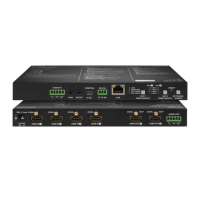
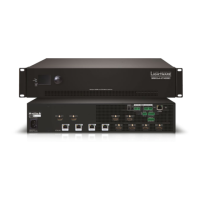
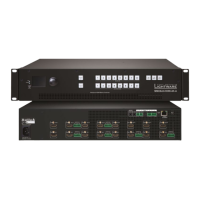
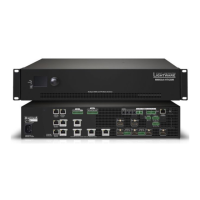
MMX4x2-HDMI
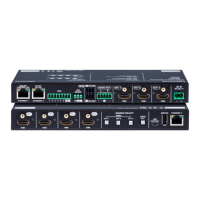
MMX4x2-HT200
MMX4x2-HDMI-USB20-L
User’s Manual
Standalone Multimedia Matrix Switcher
v3.2 22-03-2022

Table of Contents

Other manuals for Lightware MMX4x2 Series

Questions and Answers

  • H
    hwhiteAug 15, 2025
    How to fix no picture on Lightware MMX4x2 video output?
    • M
      michaelcannonAug 15, 2025
      If there's no picture on the video output of your Lightware Matrix Switcher, here are a few things to check: * Ensure all devices, including the matrix, are properly powered. Try unplugging and reconnecting them. * Verify all cable connections (video and TPS cables) are secure and fit well. * Check if the SIGNAL LED of the input port is lit. If not, there may be no incoming signal. Inspect the source device(s) and HDMI/CATx cable(s). * Confirm the correct video port is active by checking the video crosspoint settings. * Examine the TPS mode and ensure it matches the selected modes of the devices. * Check the mute state of the output port. Also, verify the emulated EDID; try selecting another one (for example, emulate the EDID of the display on the input port).
  • L
    Leslie IbarraAug 18, 2025
    Why is there no audio output from my Lightware MMX4x2?
    • J
      Jared JohnsonAug 18, 2025
      If you're not getting any audio from your Lightware Matrix Switcher, consider these potential causes and solutions: * Ensure the source audio volume isn't too low or muted. Check the audio settings of the source. * Verify the correct audio port is active by checking the input port properties and the audio crosspoint settings. * Confirm that neither the input nor the output port is muted by checking their respective properties. * If using analog audio, check the Analog audio output port settings (volume). * If HDMI mode was set to DVI, check the properties of the output port and set to HDMI or Auto.
  • A
    Alexa RodriguezAug 22, 2025
    What to do if Lightware Matrix Switcher cannot establish LAN connection?
    • A
      adamcaldwellAug 22, 2025
      If you're having trouble establishing a LAN connection with your Lightware Matrix Switcher, here are some troubleshooting steps: * Ensure that an incorrect IP address is not set. Try using a dynamic IP address by enabling the DHCP option or restore the factory default settings (with fix IP). * Check for IP address conflicts with other devices on the network. * If TCP/IP or UDP messaging via LAN port isn't working, verify the TCP/IP / UDP messaging rules.
  • C
    Carrie ByrdAug 25, 2025
    Why Lightware MMX4x2 Matrix Switcher displays wrong picture on the video output?
    • C
      Carlos KennedyAug 26, 2025
      If the video output on your Lightware Matrix Switcher is not displaying the desired picture, it might be due to: * The video output being statically set to a test pattern (resulting in a no sync screen). Check the Test Pattern settings in the HDMI output properties. * The video output being set to a test pattern because there is no picture on the video source. Check the video settings of the source.
  • D
    Daniel HawkinsAug 28, 2025
    How to troubleshoot a non-responding serial device connected to Lightware Matrix Switcher?
    • M
      Michele MckinneyAug 28, 2025
      If a serial device connected to your Lightware Matrix Switcher isn't responding, try these steps: * Check the cable connections to ensure they fit well, and verify the wiring of the plugs. Also, check the port settings of the transmitter, the matrix, and the connected serial device(s), paying attention to Link and/or Local ports. * Confirm that the RS-232 mode settings are correct (control, command injection, or disconnected). * If messaging via the serial port isn't working, check the serial messaging rules and/or apply escaping in the message.
  • P
    pporterSep 1, 2025
    Why are the front panel buttons not working on my Lightware MMX4x2 Matrix Switcher?
    • A
      Ashley WilkersonSep 1, 2025
      If the front panel buttons on your Lightware Matrix Switcher are not working, it is possible that the buttons are locked. To solve this, disable control lock.
  • J
    Jeffrey DavisSep 4, 2025
    What does it mean if I'm constantly receiving error messages from Lightware Matrix Switcher?
    • M
      Mary LandrySep 4, 2025
      If you're constantly receiving error messages from your Lightware Matrix Switcher, it might be due to a different protocol being set. Check the protocol settings (LW2 / LW3) and use the proper protocol commands.
  • C
    carolyn44Sep 7, 2025
    Why is CEC message sending not working on my Lightware Matrix Switcher?
    • K
      Kyle ValdezSep 8, 2025
      If CEC message sending isn't working on your Lightware Matrix Switcher, the CEC feature may not be enabled in the connected (third-party) device. Check the device and/or its documentation to enable the feature.
  • M
    molly56Sep 12, 2025
    What to do if Lightware Matrix Switcher DVI EDID is emulated?
    • A
      Amanda SimpsonSep 12, 2025
      Check the EDID and select and HDMI EDID to emulate.

Lightware MMX4x2 Series Specifications

General IconGeneral
CategoryMatrix Switcher
ModelMMX4x2 Series
Input Ports4
Output Ports2
Signal TypesHDMI
Video Bandwidth18 Gbps
EDID ManagementYes
Max Resolution4K@60Hz
Audio SupportEmbedded audio
Control InterfaceRS-232, Ethernet
Power Supply100-240V AC

Related product manuals