Automatic addresmode
Address Mode: NO
OK
Press and use and to move
ADRESSMODE from NO to YES
Automatic addresmode
Address Mode: YES
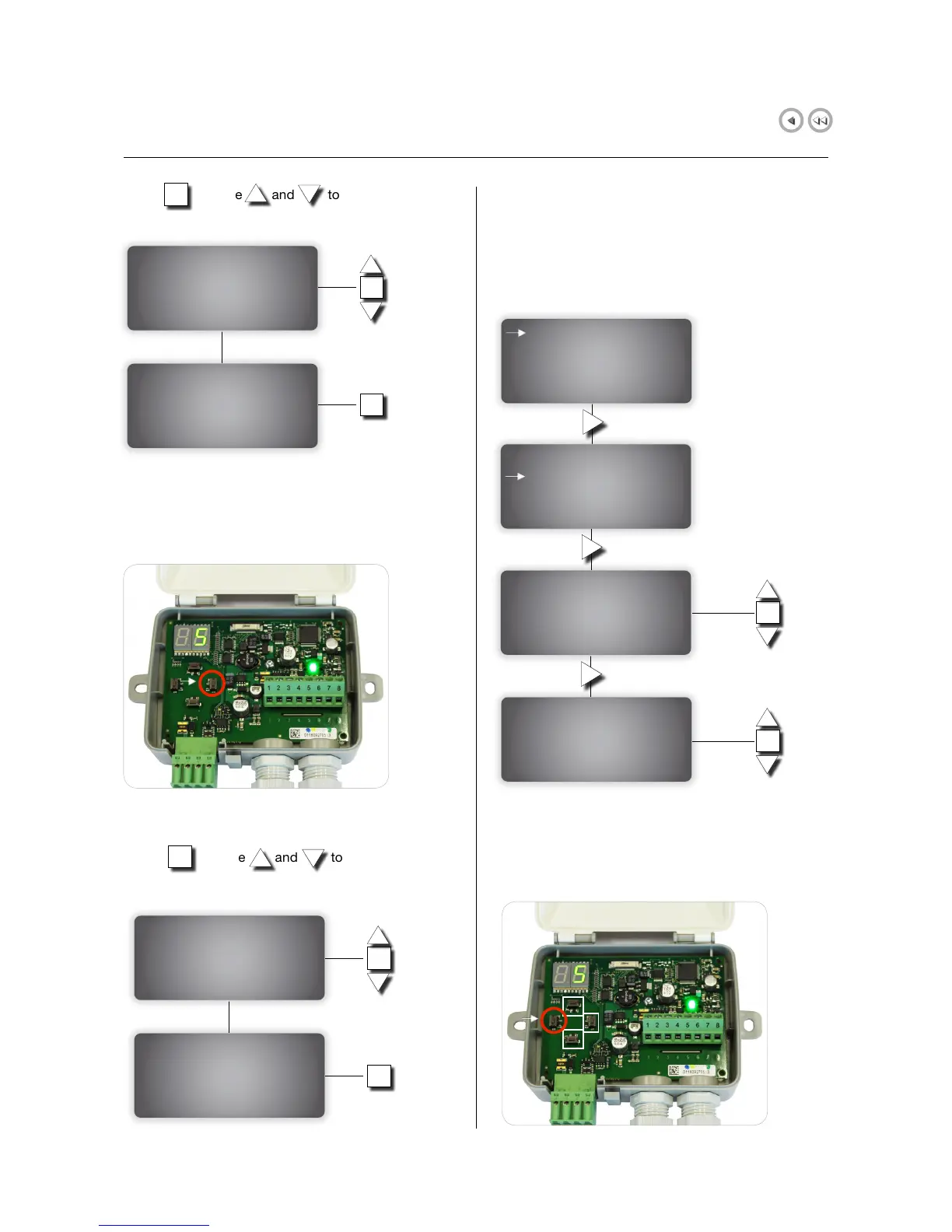
Inside each slave unit connected to the system, press
the RIGHT BUTTON: units will be assigned the first
free address.
Automatic addresmode
Address Mode: YES
OK
Back to the display on master unit.
Press and use and to move
ADRESSMODE from YES to NO
Automatic addresmode
Address Mode: NO
OK
6.5.3 Manual addressing
Manual addressing mode means that number of damper
and its IP address are manually assigned to the user
by pressing buttons in the FDS-S as described below.
Go to the ADDRESSING display on master unit.
OK
OK
OK
Inside each slave unit connected to the system keep
LEFT BUTTON pressed to edit address and use UP/
DOWN/RIGHT BUTTONS to set the new address.
Addressing
Automatic
Manual
Add single detector
Choose unit
Unit: 1-60 -->
OK
Unit: 1-60
Ser.no:
Activate?YES
Confirm?--
OK


 To Next Page