Operation 4
Standard equipment
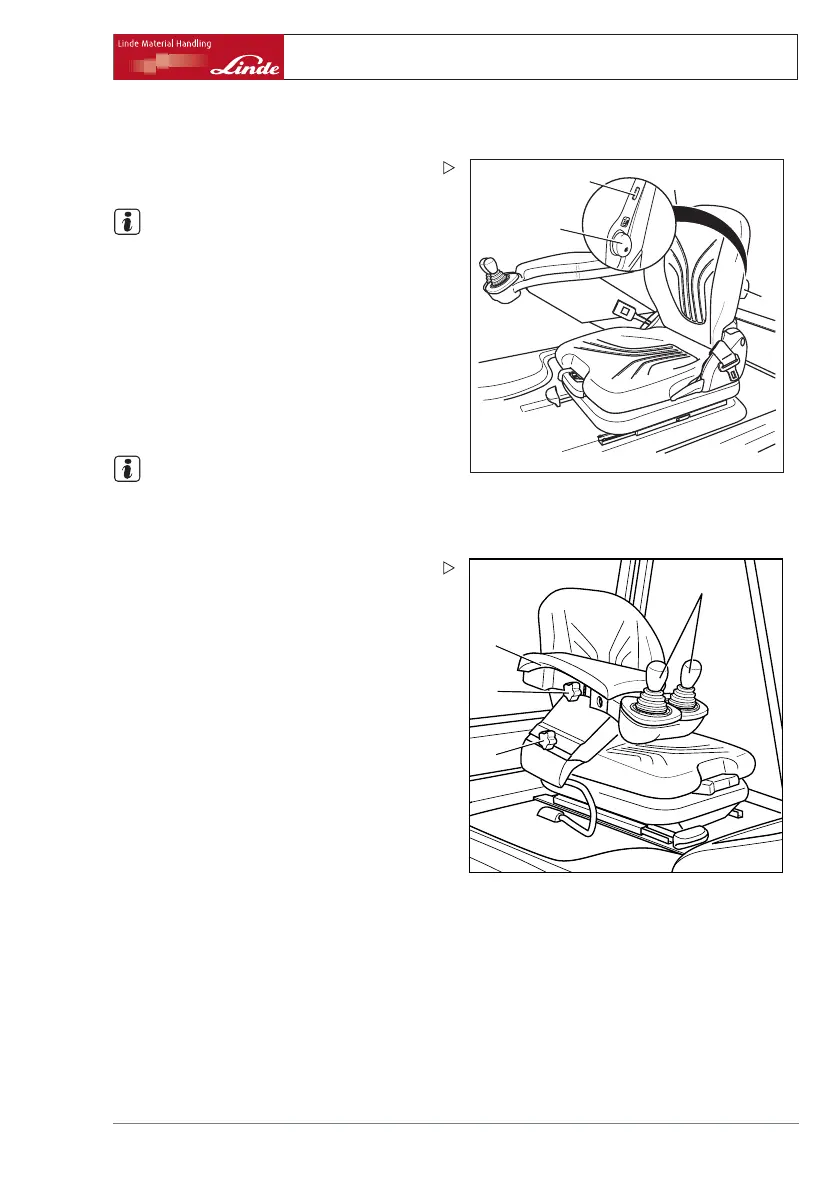
Adjust lumbar support
e3861328
6
6
7
¾ Move the rotary knob (6) to the left or right to
adjust the lumbar support as required .
NOTE
Take note of the symbol label aff
ixed to the
rear of the seat back.
Switch on seat heater (specia
lequip-
ment)
¾ Operating switch (7) will switch on the heat-
ing of the driver’s seat.
Adjust armrest driver’s seat
NOTE
The armrest on the driver’s seat is automati-
cally pushed up by spring pressure after the
locking screw (1) is released.
e3861304
4
1
2
3
¾ Sit down on the driver’s seat and release
the locking screw (1) .
¾ Push the armrest (3) down against the
spring pressure until a comfortable posi-
tion for the arm is found.
¾ Tighten locking screw (1) .
¾ Release the locking screw (2) and move the
armrest (3) backwards or forwards until the
operating levers (4) are easily accessible.
¾ Tighten locking screw (2).
Operating Instructions – 386 807 1001 EN – 03/2006 27



 To Next Page