40
Naming Memory Channels
You can name memory channels using up to 7 alphanumeric
characters. When you recall a named memory channel, its
name appears on the LCD instead of the channel number.
Names can be callsigns, repeater names, names of people,
ect. Of cause, this naming can also to be operated by
programming software.
■Switching/Setting/Amending/Clearing Memory Channel
Name
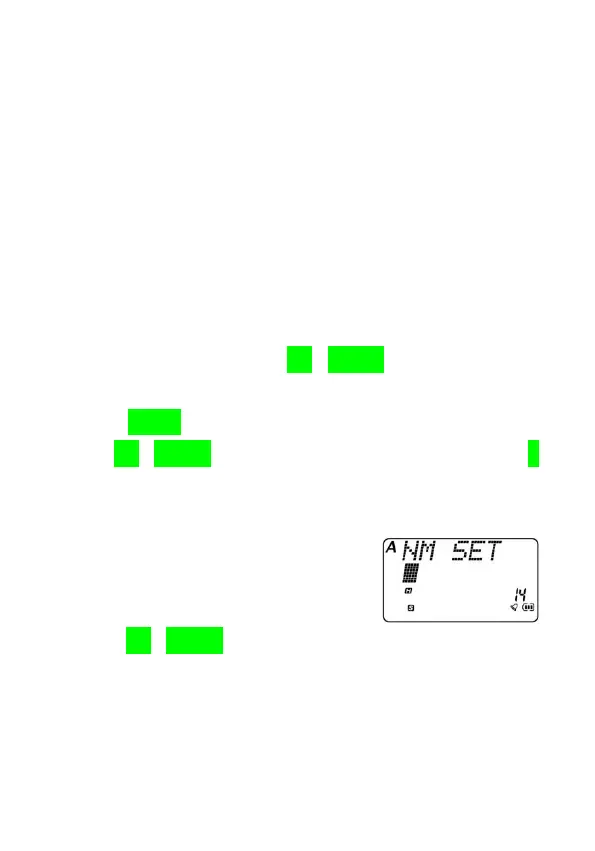
1.In MR/CH/NM mode, use [UP]/[DOWN] key to select your
desired memory channel.
2.Press [MENU] key to enter menu system.
3.Use [UP]/[DOWN] key to select Menu No.20, then press [F]
key to confirm.
●The first digit blinks.
4.Use [UP]/[DOWN] key to select first alphanumeric
character.
●You can choose: “0”-“9”,“A”-“Z”,“a”-“z”,“!”,“””,“#”,“$”,“%”,“&”,“’”,“(”,
“)”,“*”,“+”,“,”,“-”,“.”,“/”,“:”,“;”,“<”,“=”,“>”,“?”,“@”,“[”,“]”,“^”,“_”,“`”,“{”,“|”,
“}” or a blank.



 To Next Page