EasyManua.ls Logo

Lippert Components ground control 3.0 - User Manual

Lippert Components ground control 3.0
24 pages
Print Icon
To Next Page IconTo Next Page
Loading...
Rev: 03.02.2017
Page 1
Ground Control 3.0 with OneControl
Ground Control 3.0
(5th Wheel)
4 Point and 6 Point
OneControl
Touch Panel
OWNER'S MANUAL

Other manuals for Lippert Components ground control 3.0

Questions and Answers

  • V
    Vanessa MurraySep 9, 2025
    What does 'FUNCTION ABORTED' mean on Lippert Components Lifting Systems touch panel?
    • T
      taylorhebertSep 10, 2025
      If the Lippert Components Lifting Systems touch panel displays 'FUNCTION ABORTED', it means the user has aborted an automatic leveling sequence. Hit OK and restart the sequence.
  • J
    James GomezSep 12, 2025
    What does 'EXTERNAL SENSOR' mean on Lippert Components Lifting Systems touch panel?
    • A
      acordovaSep 12, 2025
      If the Lippert Components Lifting Systems touch panel displays 'EXTERNAL SENSOR', it indicates a bad connection or wiring. Replace or repair the connection to the rear remote sensor.
  • S
    Scott WoodardSep 14, 2025
    What does blinking red LED mean on Lippert Components ground control 3.0?
    • L
      Lori MunozSep 14, 2025
      If the Lippert Components Lifting Systems Red/Green LED Indicator is blinking red, there is an error. Consult the Troubleshooting section of this manual to clear the error.
  • P
    patrickcurrySep 16, 2025
    What causes 'HALL POWER SHORT' in Lippert Components ground control 3.0 Lifting Systems?
    • P
      Penny PowellSep 16, 2025
      If you encounter 'HALL POWER SHORT' on your Lippert Components Lifting Systems, this indicates a short circuit detected on one or more of the jack hall effect power lines. You should check the harness and replace or repair it.

Summary

Safety Information

Auto Leveling Control Touch Panel

Touch Panel Diagram - Auto Leveling Control Touch Panel

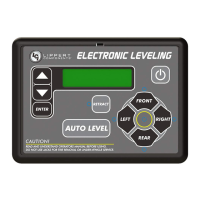
Diagram showing callouts for the Auto Leveling Control Touch Panel.

Operation - Auto Leveling Control Touch Panel

Instructions for operating the Auto Leveling Control Touch Panel.

OneControl Touch Panel

Touch Panel Diagram - OneControl Touch Panel

Diagram illustrating the OneControl Touch Panel interface and its functions.

Operation - OneControl Touch Panel

Detailed steps for operating the OneControl Touch Panel for leveling.

OneControl App From MyRV

Touch Panel Diagram - OneControl App From MyRV

Visual guide to the OneControl App interface for trailer leveling.

Operation - OneControl App

Instructions on accessing and using the OneControl App for trailer leveling.

Linc Remote Control - Optional

Touch Panel Diagram - Linc Remote Control - Optional

Illustration of the Linc Remote Control and its buttons.

Operation - Linc Remote Control

Procedures for operating the Linc Remote Control for trailer leveling.

Troubleshooting

Troubleshooting Indicators and Errors

Covers LED indicators, touch panel errors, and special jack error codes.

Manual Override

Jack Motor Override Procedures

Steps for manually overriding jack motors from top and bottom.

Zero Point Calibration

To Set the Zero Point

Procedure to program the Zero Point for the leveling system.

Preventive Maintenance

Ground Control 3.0 4 Point Assembly Components

Leveling and Stabilization Parts

Diagram and list of parts for the 4-point leveling system.

Ground Control 3.0 6 Point Assembly Components

Leveling and Stabilization Parts

Diagram and list of parts for the 6-point leveling system.

Ground Control 3.0 Component Details

Hall Effect Jacks and Motors

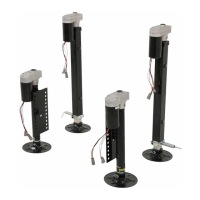
Details on Hall Effect landing gear, jacks, and motors with part numbers.

Jack Mounting Brackets and Pins

Details on jack mounting brackets and pull pins with part numbers.

Ground Control 3.0 Hardware Components

Mounting Hardware and Sensors

Details on nuts, bolts, sensors, and mounting plates with part numbers.

Wiring Harnesses and Resistors

Details on CANbus harnesses and resistors with part numbers.

Ground Control 3.0 Electronic Components

Control Panels and Remotes

Details on OneControl Touch Panel, Auto Leveling Control Touch Panel, and Linc Remote.

Controllers and Harnesses

Details on 4-point and 6-point controllers and related harnesses.

Lippert Components ground control 3.0 Specifications

General IconGeneral
BrandLippert Components
Modelground control 3.0
CategoryLifting Systems
LanguageEnglish

Related product manuals