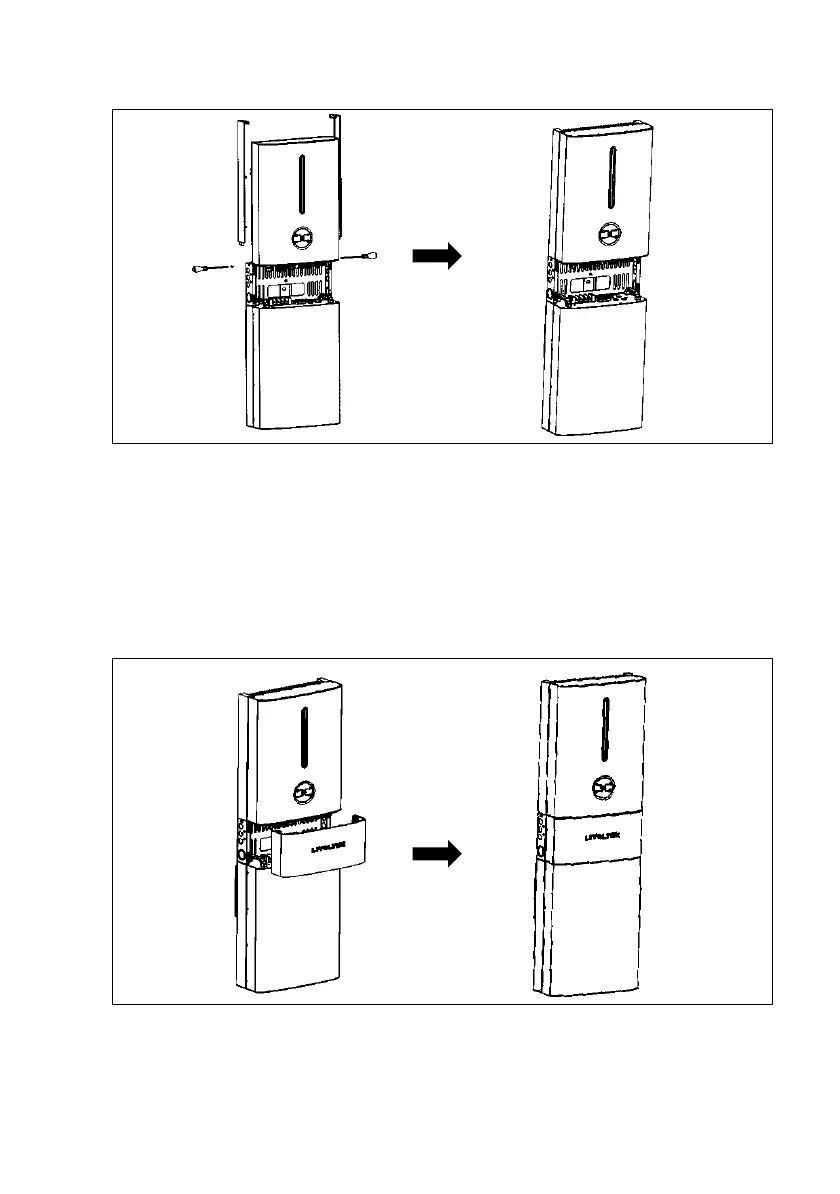
cover bottom. Then tighten them with M5 screws.
Step 11: Electrical Connection
Please refer to the Electrical Connection instructions in the next chapter.
Step 12: Install the Middle-cover
•Buckle the middle-cover to the all-in-one system after all electrical connection and
settings are done
•DO NOT forget to grounding the Inverter and battery.




 To Next Page