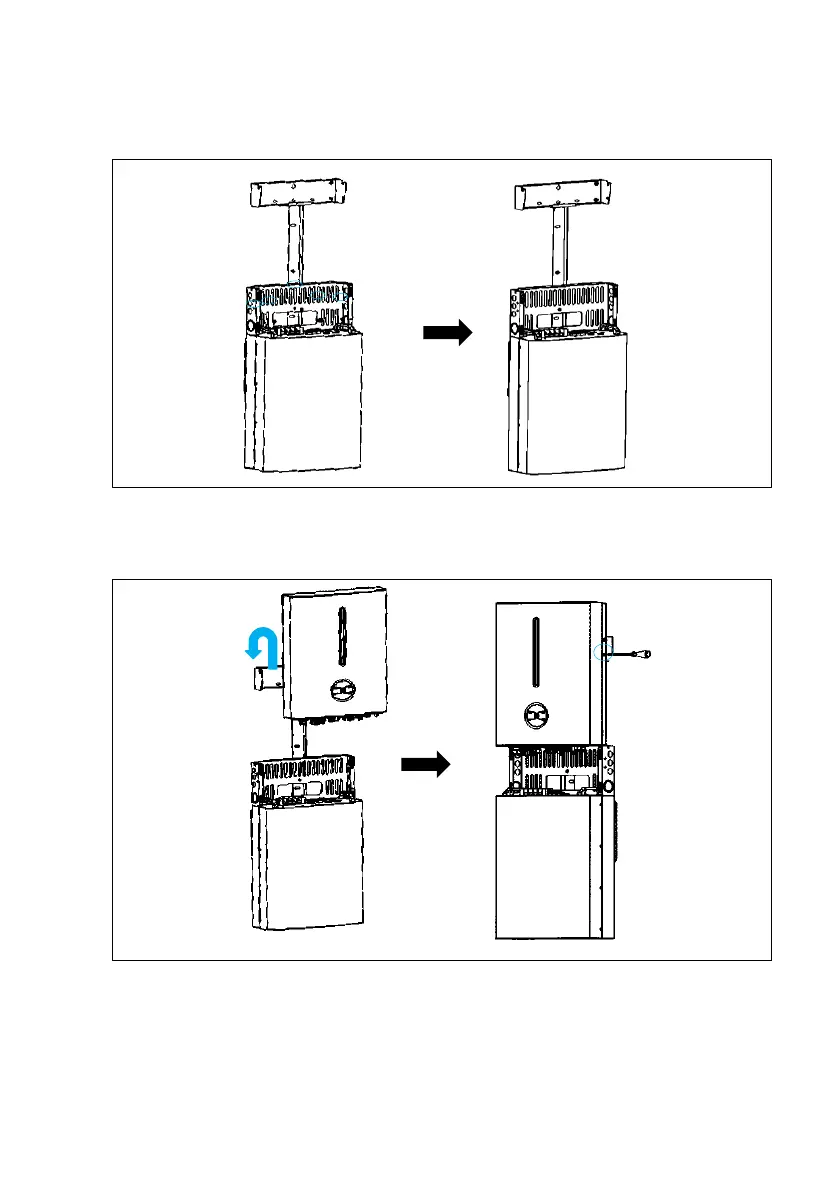
Step 8: Install the bottom of middle cover kit to the Bracket
•Install the bottom of middle cover kit to the all-in-one bracket and tighten the screws
(M5*5).
Step 9: Install the Inverter to the Bracket
•Lift and hang the Inverter to the bracket and secure with screw.
•Make sure that 2 mounting ears are perfectly engaged with the bracket.
Step 10: Install the side frames
•Install the left and right frames. The upper part of which should be hung to the
corresponding holes of the inverter, and the lower part should be inserted into the middle






 To Next Page