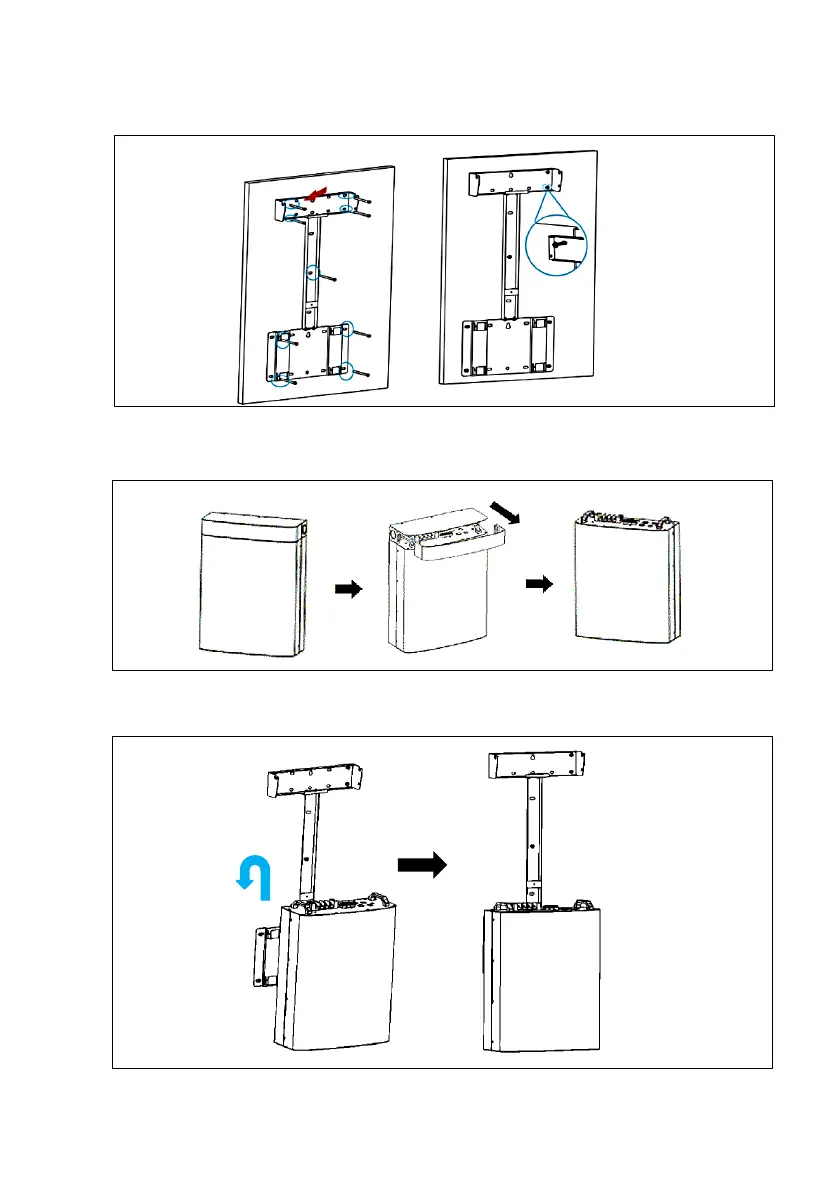
Step 5: Secure the All-in-one bracket on the wall
• Fix the All-in-one bracket to the wall with 9 expansion bolts.
Step 6: Remove the upper cover of the Battery
•Pull out the front cover of the wiring area, then loosen the screws on the top cover to
remove the upper cover of the battery.
Step 7: Install the battery on the Bracket
•Lift and hang the battery to the battery-bracket.




 To Next Page