Automatic Mode
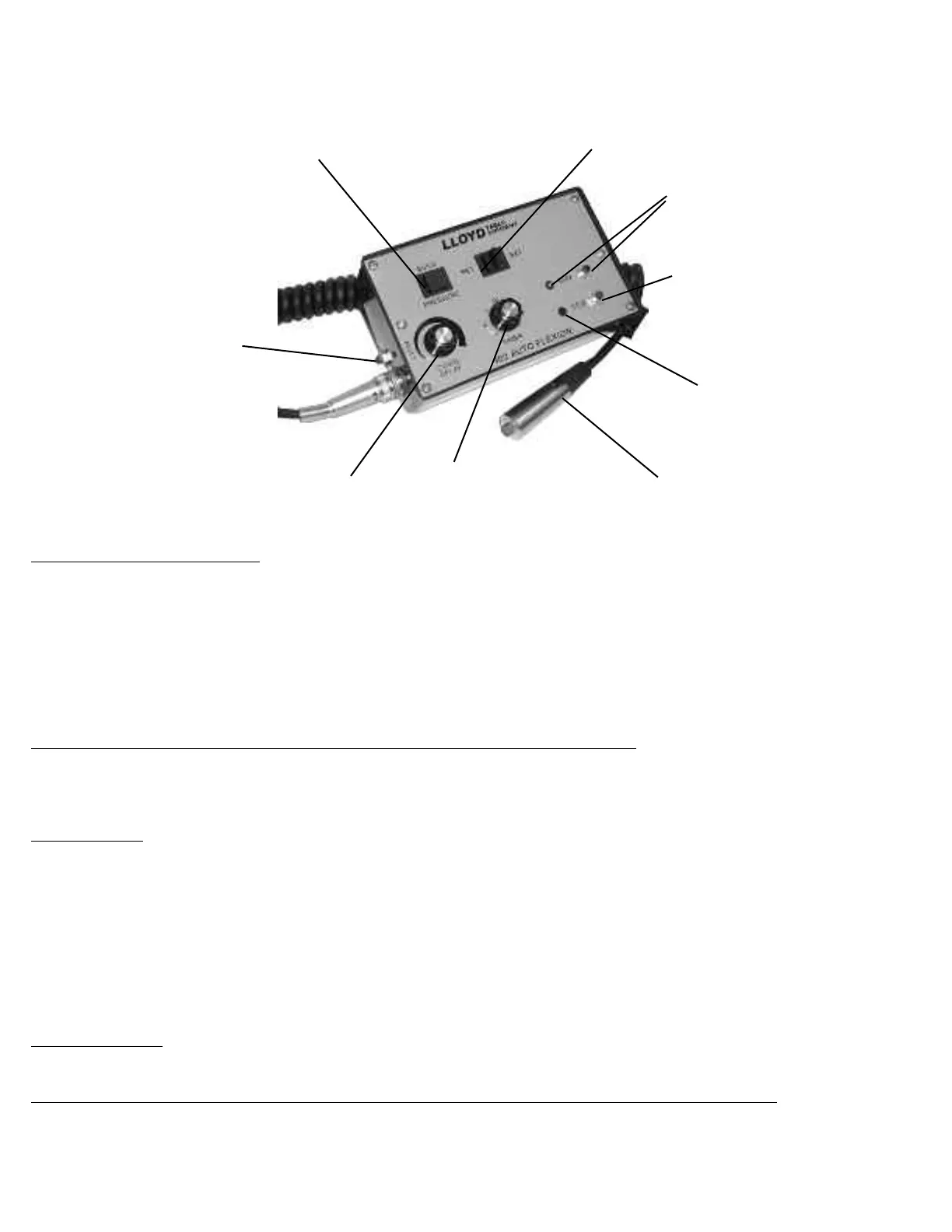
The automatic mode is indicated by the (#2) “Indicator Light” emitting a green light.
A) To activate the Automatic mode press the Run Button (#2) so that the indicator light is on.
B) The pelvic cushion will continue to flex up and down until the desired time set, indicated by the timer knob (#4), expires.
C) To stop pelvic flexion simply push the red stop button (#3)
Auto Flexion Timer
The auto flexion timer (#4) is used when setting the time desired for auto flexion. The range of time is @ 1 to 20 minutes.
The timer, even when turned completely counterclockwise will result in the table auto flexing for about 1.5 minutes.
Extension / Retraction Switch (#1)
The Extension / Retraction switch is used for directional control of the Pelvic cushion in the axial plane.
To extend the pelvic cushion:
1) Activate the toggle (#1) switch towards the rear of the table.
To retract the pelvic cushion
1) Activate the toggle switch (#1) towards the front of the table.
CAUTION!! Check the pelvic up speed and down speed before adjusting patient on the table.
Auto Pelvic Flexion
# 6 Pressure Control Switch
# 1 Ext. - Ret . Switch
# 2 Flexion Run Button
Indicator Light
# 3 Flexion Stop Button
Indicator Light
#5 Down Delay Control
# 4 Timer Control
# 8 Stop Indicator Light
# 7 Reset Button
# 9 Stop Indicator Light
Page 17



 To Next Page