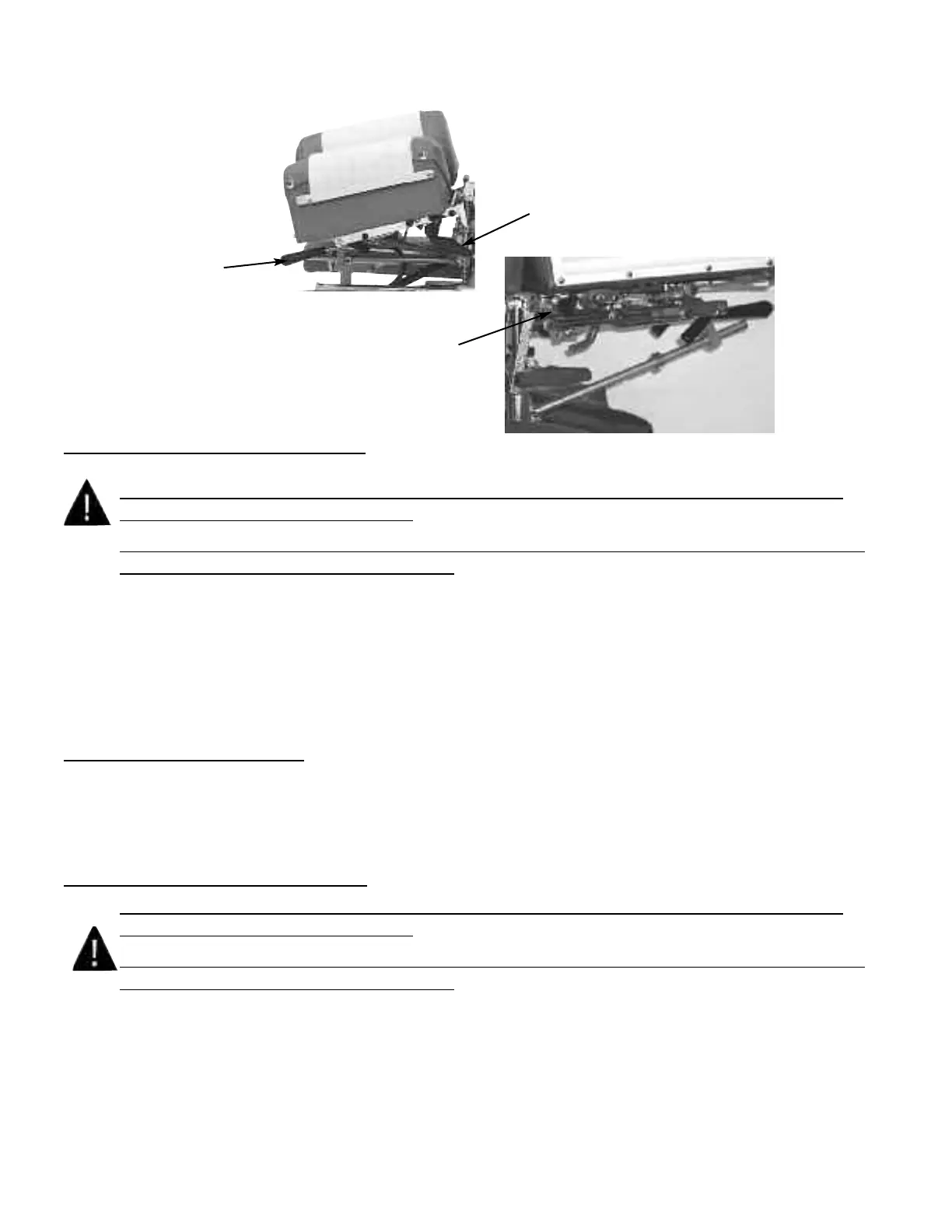
Deluxe Head with Drops
#7 Cocking Handle
#8 Tension Knob
#9 Selector Knob
(Right Side of Table)
Operating the Straight / Toggle Drop:
CAUTION: THE DROP CUSHION TENSION SHOULD BE CHECKED AND TESTED
BEFORE ADJUSTING A PATIENT.
NOTE - DROP SHOULD BE IN DOWN / DEACTIVATED POSITION BEFORE MOVING
SELECTOR KNOB (NO. 9) IN OR OUT.
1. To engage the Straight / Toggle Drop head, pull the selector knob (No. 9) out about
half an inch.
2. Push down on the Cocking Handle (No. 7) until the head cushion toggle drop is activated .
3. Once cocked, test the drop by pushing down on the cushion. If the cushion drops easily or too hard,
adjust the tension with the Tension Knob (No. 8).
Operating The Tension Knob:
1. The tension is adjusted by turning the tension knob (No. 8) in a clockwise and counterclock-wise direction.
A. Clockwise - Increases tension
B. Counterclockwise - Decreases tension
Operating the Forward Motion Drop:
CAUTION: THE DROP CUSHION TENSION SHOULD BE CHECKED AND TESTED
BEFORE ADJUSTING A PATIENT.
NOTE - DROP SHOULD BE IN DOWN / DEACTIVATED POSITION BEFORE MOVING
SELECTOR KNOB (NO. 9) IN OR OUT.
1. The Selector Knob (No. 9) is to be pushed in, to engage the forward motion drop.
2. Push down on the Cocking Handle (No. 7) until the head cushion forward motion drop is
activated.
3. Once cocked, test the drop by pushing down on the cushion, and adjust the tension.
Page 6



 To Next Page