3- CHAPTER 3: PROCEDURES
3-12
Measuring Cell Adjustment – SQ3
Conditions:
- No bar stock in the magazine.
- Loading table in lower position.
- Bar feed in STOP mode.
- Value entered in the "Part Setup", parameter "Bar stock diameter" must be 6 mm (0.236”).
Procedure:
Step 1: In manual mode, move up the loading table. Press the [STOP] key on the remote control.
Step 2: Retract the bar feed for access to the front of the unit.
Step 3: Open the main access cover.
Step 4: Place a piece or bar stock of 6 mm (or smallest diameter stock available) into the channel. (Note: the stock
must be straight to obtain the ideal adjustment).
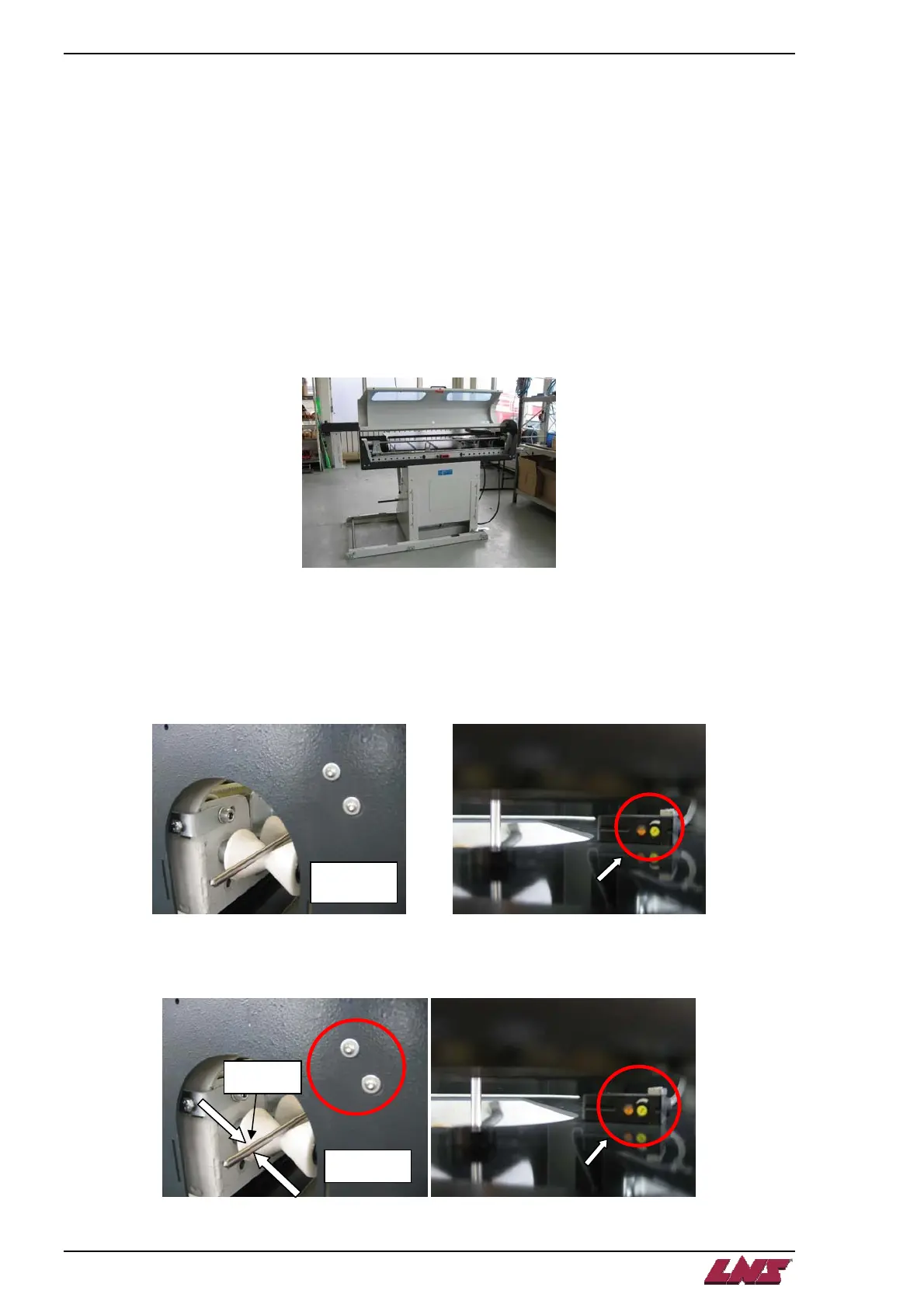
Step 5: Push the stock up so that it is sticking out the front of the bar feeder. Turn the gain adjustment clockwise
on the measuring cell to the max position. A ticking noise marks the end of the adjusting range.
Step 6: Loosen screws and adjust the cell so that the “red” sensor is reflecting off the center of the bar and tighten
the cell down.
View from the bar
feed front
Red sensor
View from the bar
feed front
QUICK LOAD SERVO 65/80














 To Next Page