Reference 55-85
User manual
38
TV
Electronic Programme Guide
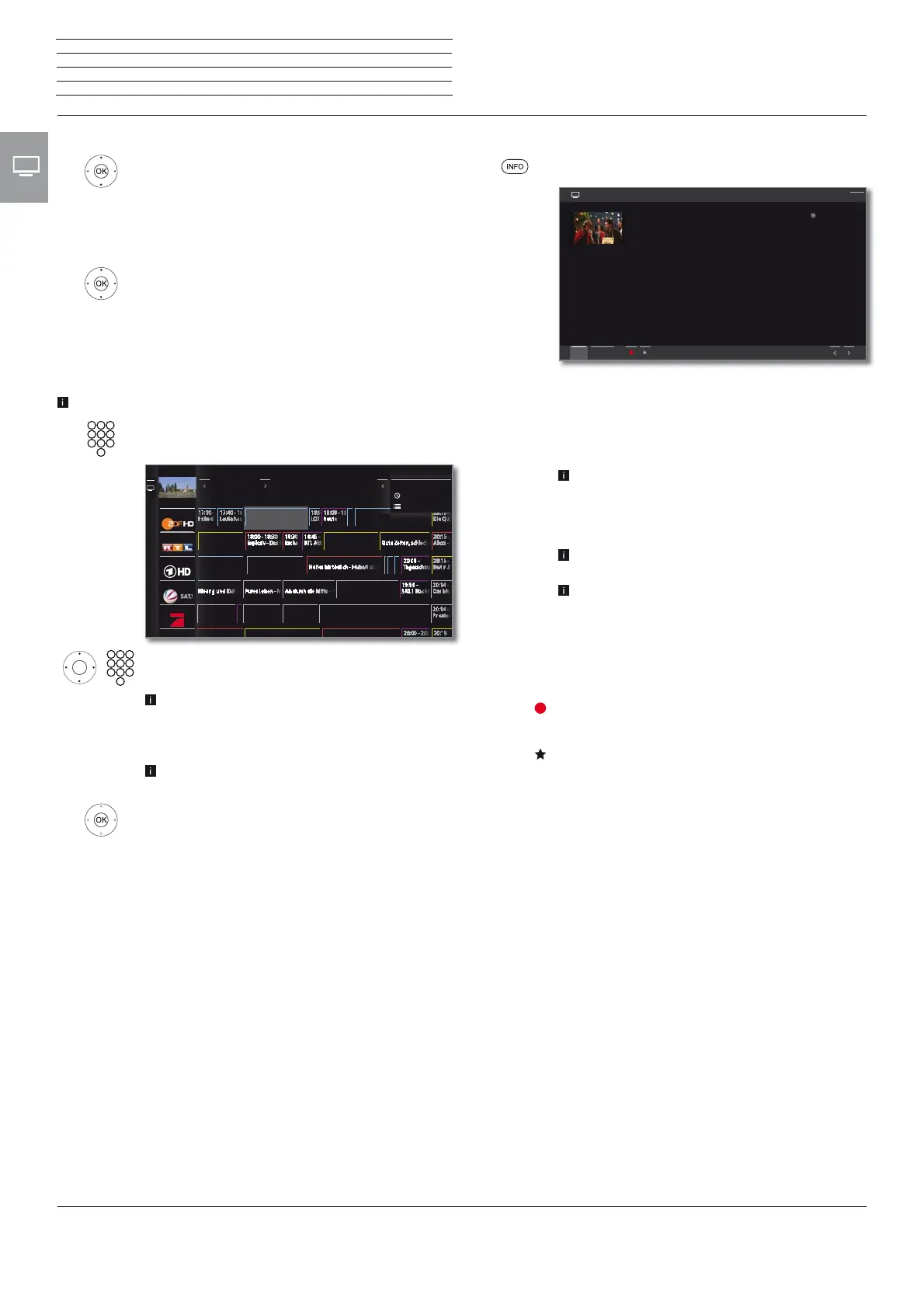
Calling additional information about the programmes
INFO: Call up detailed information.
If there is more information on the selected programme,
it will be indicated here. You find further information
on the indicated programme in the bottom line:
View Watch selected TV programme.
The menu item is only available when the selected
programme is on the air.
Memorise Memorise the programme for later watching /
listening. For further information see next page.
This menu item is only available when the selected
programme has not started yet.
Depending on the presetting the TV set will switch
on by itself when it is in standby.
Delete
memo
For programmes being memorised you can also
delete the memo.
Timer list
Call up timer list.
(Recording)
Schedule the recording of the selected programme
for a time.
(Favourite)
Schedule the recording of the selected programme for
a time. Additionally, an entry to the Home favourites
will be added as soon as the recording starts.
5 ProSieben 16:45 20.12.14
16:30-16:58 How I Met Your Mother
Eine Halloween-Party auf dem Dach seines Wohnhauses steht bevor, und
auch dieses Jahr lässt sich Ted das Ereignis nicht entgehen. Doch eigentlich
hofft er, ein Mädchen, das er vor vier Jahren dort getroffen hat, endlich
wiederzusehen.
Barney findet die Idee völlig dämlich und versucht, seinen Freund zu einer
Party bei Victoria‘s Secret zu überreden. Ted gibt die Hoffnung nicht auf,
doch dann taucht spät abends eine ganz andere Frau auf dem Dach auf
und gesellt sich zu ihm ...
5 ProSieben
Detailed info
Back
View Timer list
Switching to the current broadcast
Mark current broadcast.
OK press briefly: switch to current broadcast.
The electronic programme guide will be closed.
Programme preview
Mark desired station in the station list.
OK press long: show preview.
In the top left window, the current programme of
the selected station is displayed now.
Jumping to time or station
The marking must be in the station list.
Press the numerical key (0 through 9). The window
Select Time/Station is shown.
Select time or station,
Enter numbers.
When entering a time, you always jump to the next
occurrence of the entered time (24-hour window).
If the time is already passed today, the time entered
will appear on the following day.
Always enter five digits for station presets, e.g.
00001 for preset 1 or 00134 for preset 134.
OK Activate jump.
18:00 - 18:50
Verbotene Liebe
10
11
1212
13
1414
15
19:25 - 20:15
Küstenwache
17:58 - 18:29
Die Simpsons
16:55 - 17:55
taff
18:00 - 18:50
SOKO Wismar
19:05 - 19:40
Alles was zählt
17:30 - 18:00
Unter uns
19:15 - 19:59
push - das SAT.1 Magazin
18:29 - 18:58
Die Simpsons
18:58 - 20:14
Galileo
18:00 - 18:30 18:30 18:45
19:00 - 20:0018:00 - 19:0017:00 - 18:00
17:15 - 18:00
Brisant
17:46 18:00 19:00 20:00
DVB-C
19:40 - 20:15
18:31 - 19:15
17:59 - 18:3117:29 - 17:59
18:50 - 19:45
All genresToday
Select time
22:00
?????












 To Next Page