12
Safety Information and
Table of Content
Product Introduction and
Setting the Player
Playback Functions and
Special Playback Features
System Set-up
Troubleshooting and
Specification
Important
Notice
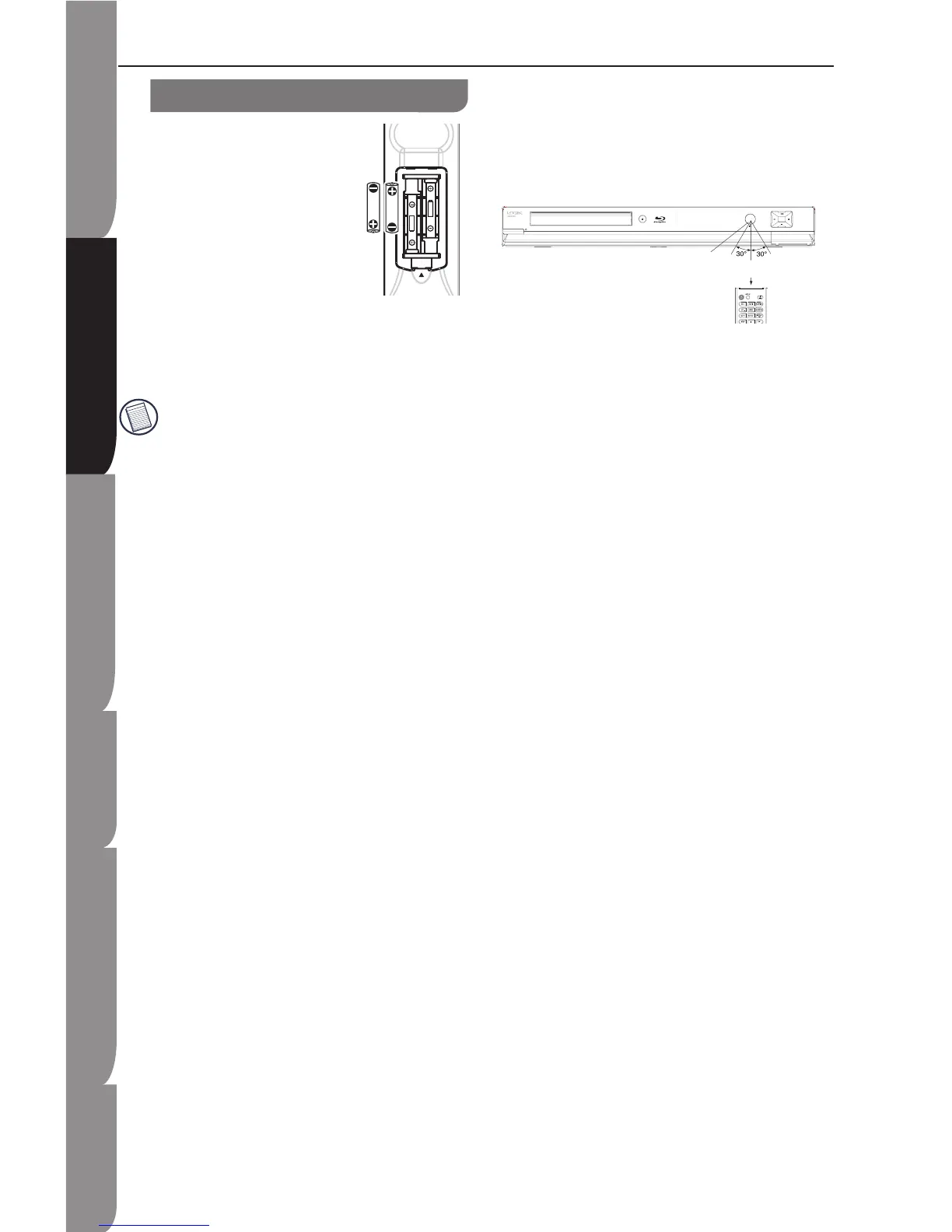
Loading batteries
1. Press and lift the back cover
up to open the battery
compartment of the remote
control.
2. Insert two AAA size batteries.
Make sure to match the (+) and
( - ) ends of the batteries with
the (+) and ( - ) ends indicated
in the battery compartment. To
close the battery compartment cover, slide the
cover in the direction of an arrow till it clicks
shut.
Do not use caustic cleaners (porcelain,
stainless steel, toilet, or oven cleaner etc.) on
the unit and remote
control, as they may be damaged.
Remove the battery from remote control
handset when it is not to be used for a
long period. Otherwise, it can be
damaged due to battery leakage.
Handling the Remote Control
Improper use could cause corrosion or
battery leakage and may result in physical
injury and/or property damage including fire.
Never mix used and new batteries in the
device.
Replace all the batteries in a device at the
same time.
Remove the batteries if the remote control is
not going to be used for an extended period
of time.
To avoid possible failure, read the following
instructions and handle the remote control
properly.
Do not drop or cause impact to the remote
control.
Do not spill water or any liquid on the
remote control.
Do not place the remote control on a wet
object.
Do not place the remote control under the
direct sunlight or near sources of excessive
heat.
•
•
•
•
•
•
•
•
•
•
•
Effective Range
Your remote control can be activated from up to
the unit 6m away when pointed
directly at the receiver.
Remote Control


 To Next Page