EasyManua.ls Logo

Logik LBD2000 - Reset Settings

Logik LBD2000
33 pages
Print Icon
To Next Page IconTo Next Page
To Previous Page IconTo Previous Page
Loading...
Safety Information and
Table of Content
Product Introduction and
Setting the Player
Playback Functions and
Special Playback Features
System Set-up
Troubleshooting and
Specification
Important
Notice
27
System Set-up
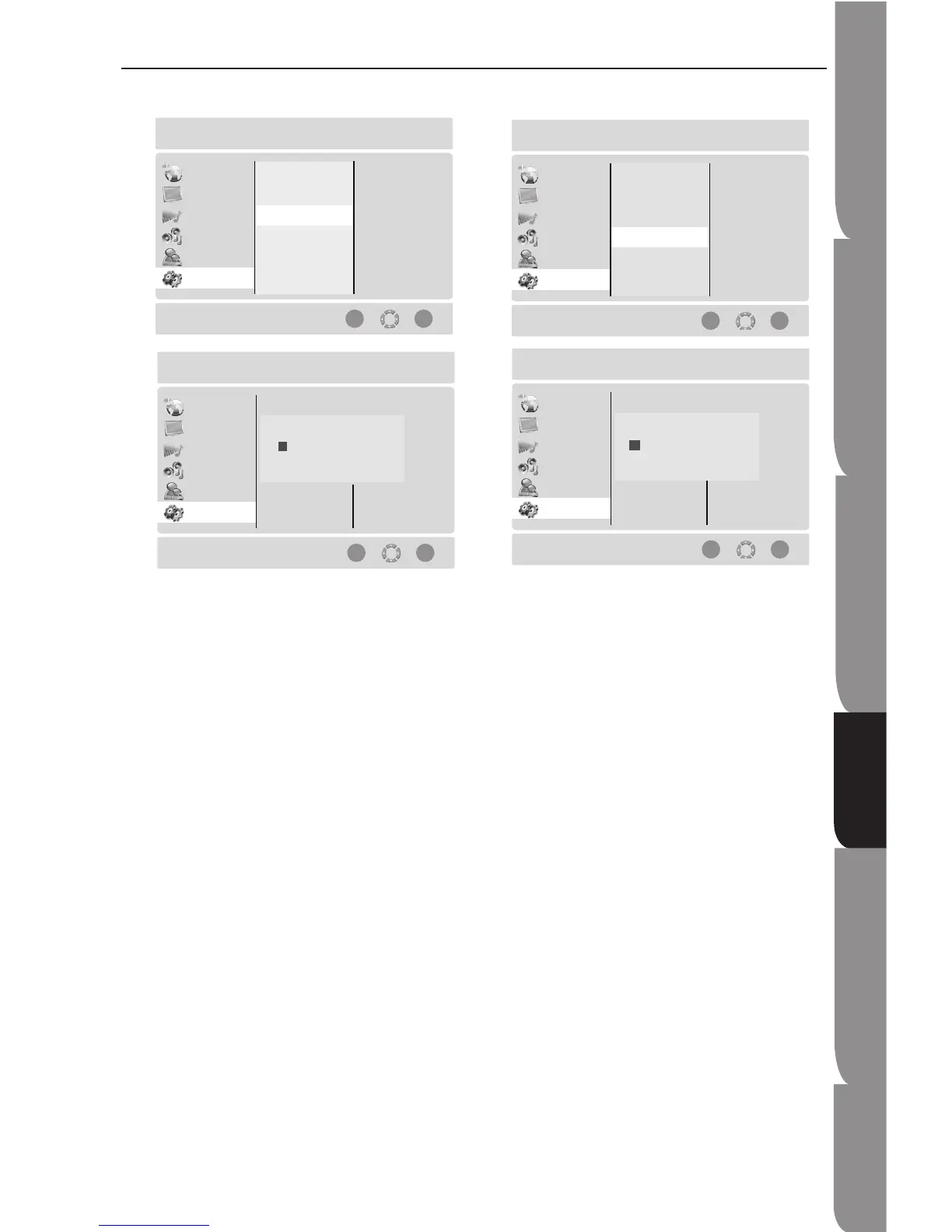
Reset Settings
This function allows you to reset all settings back to
the manufacturer’s original settings for this Blu-ray
Disc player. Select OK option to perform the reset.
Clear BD Storage
This functions allows you to erase the BD “Application
Data Area”. Select OK option to perform the erase.

Setup Menu
Language
Display
Audio
Speaker
Parental
System
Reset the menu settings to their default
ENTER BACK
Set Password
Software Version
Reset Settings
Clear BD Storage
Setup Menu
Language
Display
Audio
Speaker
Parental
System
Reset the menu settings to their default
ENTER BACK
Reload Default Settings
OK
Cancel
Setup Menu
Language
Display
Audio
Speaker
Parental
System
Erase storage for Blu-ray discs
ENTER BACK
Set Password
Software Version
Reset Settings
Clear BD Storage
Setup Menu
Language
Display
Audio
Speaker
Parental
System
Erase storage for Blu-ray discs
ENTER BACK
Erase Blu-ray storage
OK
Cancel