8
Safety Information and
Table of Content
Product Introduction and
Setting the Player
Playback Functions and
Special Playback Features
System Set-up
Troubleshooting and
Specification
Important
Notice
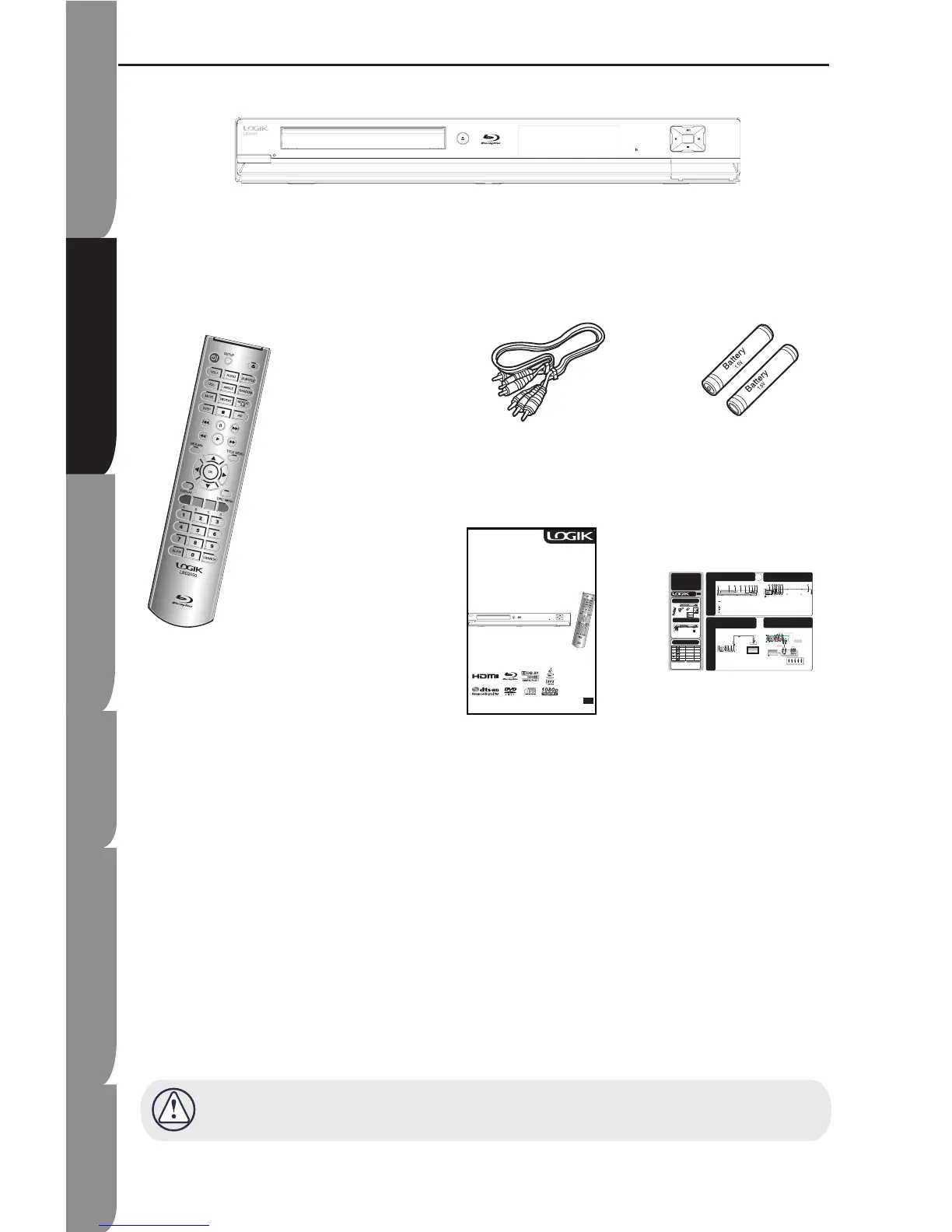
Package Content
Remote Control
(PN#06-RC-2400-A005)
Blu-ray Disc Player
Composite (Video)
Audio L/R cable
(PN#41-UH1500-0KKCD)
Batteries for
Remote Control
(AAA size)
(PN#49_382380_BAT)
Instruction Manual
(PN#72-BD2000-US0B1)
Quick Start
Guide
(PN#72-BD2000-QSGB1)
Check for the supplied accessories below.
Make sure all of the above contents are included. If there are any missing item, please return this product to
the original place of purchase.
Quick
Start
Guide
Connect to TV with Component
Video Cable
4b
1a
2
Description
Front Panel Overview
3a
OR
Compatible Disc Types
GB
Package Content
� �
�
�
�
�
1b
Batteries Installation and
Operating Range
Disc Types Disc Logo Recorded
Content
Disc Shape Maximum Playing
Minute
BD-ROM AUDIO + VIDEO SINGLE SIDED (25GB/ 50GB) Playing time depends
on the Title
DVD-VIDEO AUDIO + VIDEO Single sided (5 inches)
Double sided (5 inches)
Single sided (3½ inches)
Double sided (3½ inches)
240
480
80
160
DVD
+
RW (V
mode and
finalised only)
AUDIO + VIDEO 5 inches (4.7GB) 480 (EX: Extended
Play)
DVD
+
R/
+
R DL
(V mode and
finalised only)
AUDIO + VIDEO 5 inches (4.7GB) 480 (EX: Extended
Play)
AUDIO-CD AUDIO Single sided (5 inches)
Single sided (3½ inches)
74
20
Discs that cannot be played
Blu-ray Discs with a region code
other than “Region B”.
DVD Video with a region number
other than “2” or “ALL”.
BD-R/BD-RE/HD DVD
3.9 GB DVD-R Disc for Authoring
DVD-RW (VR mode)
DVD-ROM/ PD/ MV-Disc, etc
•
•
•
•
•
•
Region Code
Both the Blu-ray Disc Player and the discs
are coded by region. These regional codes
must match in order to play the disc. If the
codes do not match, the disc will not play.
The Region Number for this Blu-ray Disc
Player is described on the rear panel of the
Blu-ray Disc Player.
Rear Panel Overview
3b
Connections
Connect to HDTV with HDMI
cable
4a
1. STANDBY/ ON
2. Front Panel Display
3. Remote Sensor
4. Disc Tray
5. PREVIOUS
6. NEXT
7. PLAY/PAUSE
8. STOP
9. OPEN/CLOSE
1. AC IN socket
2. COAXIAL socket
3. HDMI OUTPUT socket
4. 7.1 ANALOG AUDIO OUTPUT sockets
5. COMPONENT VIDEO OUTPUT sockets
6. VIDEO socket
7. ANALOG AUDIO OUTPUT sockets
8. OPTICAL socket
NOTE: HDMI plug with bulky dimension cannot be inserted when an LAN cable is connected.
Installing batteries in the Remote Control
1. Lift the cover at the back of the remote control upward.
2. Install two AAA size batteries. Make sure to match the "+"
and "-" ends of the batteries with the markings inside the
comparment.
3. Replace the cover.
LBD2000
HDMI INPUT
cable(not supplied)
ToHDMI OUTPUT
TV
Operating range


 To Next Page