- 53 -
5.2 Synchronizing PIM data with a connected
Bluetooth device
To synchronize PIM data:
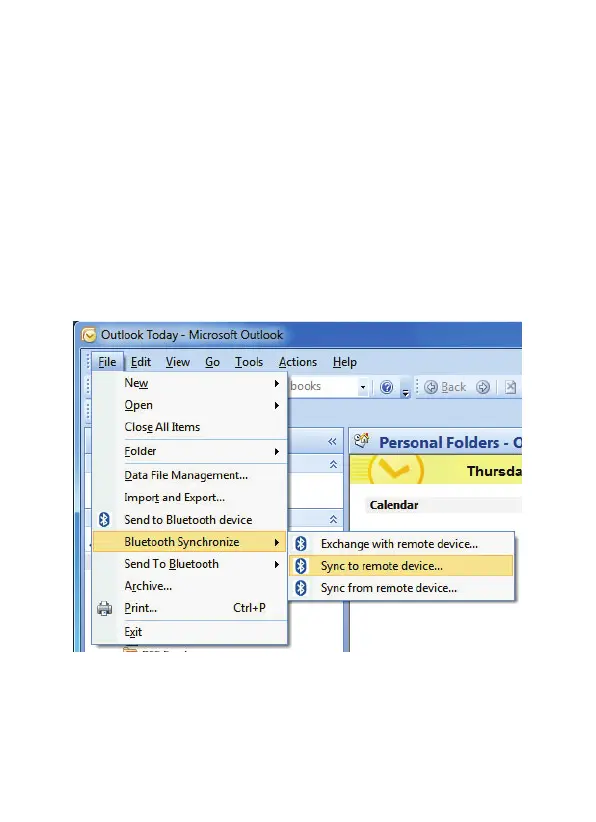
1. From the File menu in Microsoft Outlook, click Bluetooth
Synchonize and then select Exchange with remote device...,
Sync to remote device... or Sync from remote device..., as
required.
The example below sychronizes to (sends PIM data) to a
connected Bluetooth device.



 To Next Page