- 57 -
5.3 Changing PIM data settings
Any settings you change here will also be applied to Open
Mobile Alliance Data Synchronization (formerly known as
SyncML) transfers.
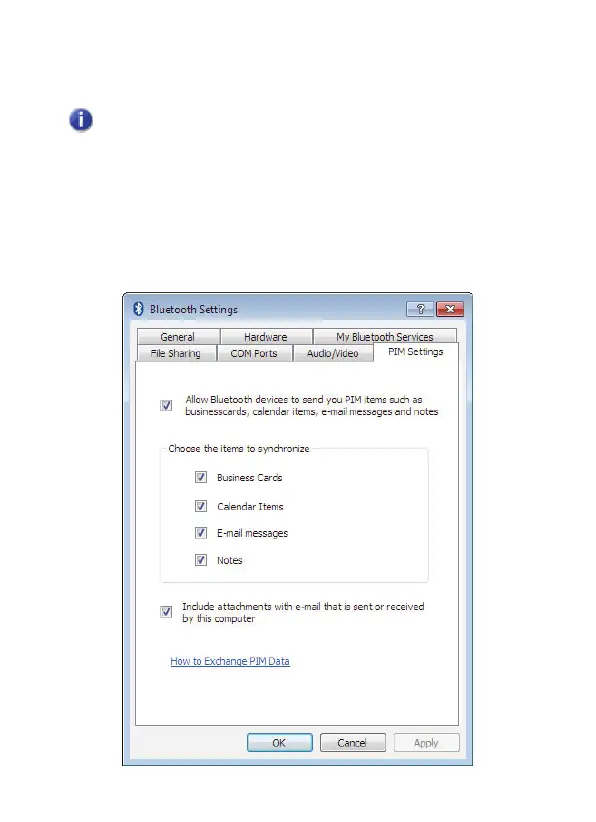
To change the PIM data settings:
1. In the Notification area, right-click the Bluetooth icon, select
Bluetooth Settings
and click the
PIM Settings
tab:



 To Next Page