- 30 -
4.10 The Dial-Up Networking (DUN) profile
What is DUN?
This profile provides a standard to access the Internet and other
dial-up services over Bluetooth. The most common scenario is
accessing the Internet from a laptop by dialing up on a mobile
phone, wirelessly.
Using DUN
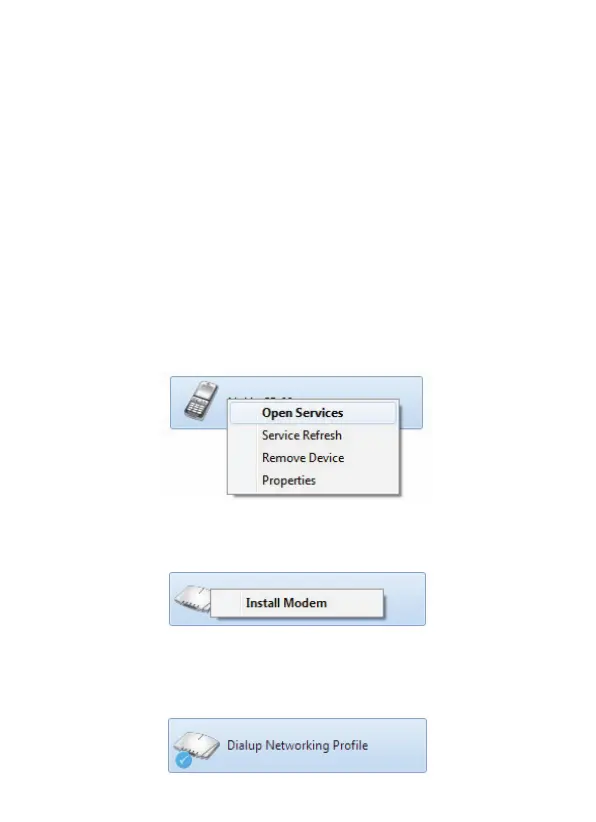
1. Pair with a Bluetooth device which supports DUN.
2. Open
My Bluetooth Devices
, see
Viewing connected
Bluetooth devices.
Right-click the device and choose
Open Services
:
3. Right-click
Dialup Networking Profile
and choose
Install
Modem
.
4. The DUN gateway is created.
In
My Bluetooth Devices
the successful DUN link is shown
as:



 To Next Page