- 64 -
8.0 Viewing Connected Bluetooth Devices
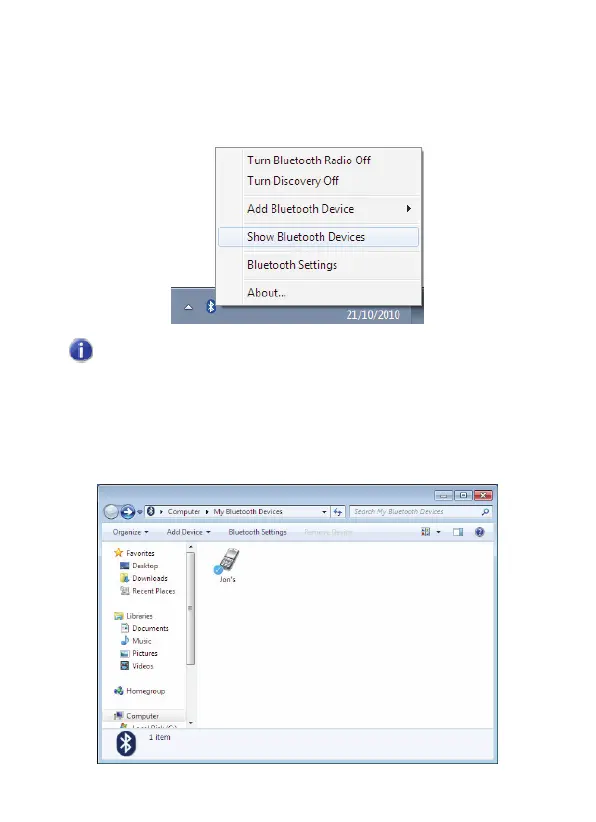
1. In the Notification area, right-click the Bluetooth icon and
select Show Bluetooth Devices:
You can also double-click the Bluetooth icon to launch the
My Bluetooth Devices
window.
2. The
My Bluetooth Devices
window opens showing all the
currently connected devices:



 To Next Page