- 2 -
3.0 Adding a Bluetooth Device
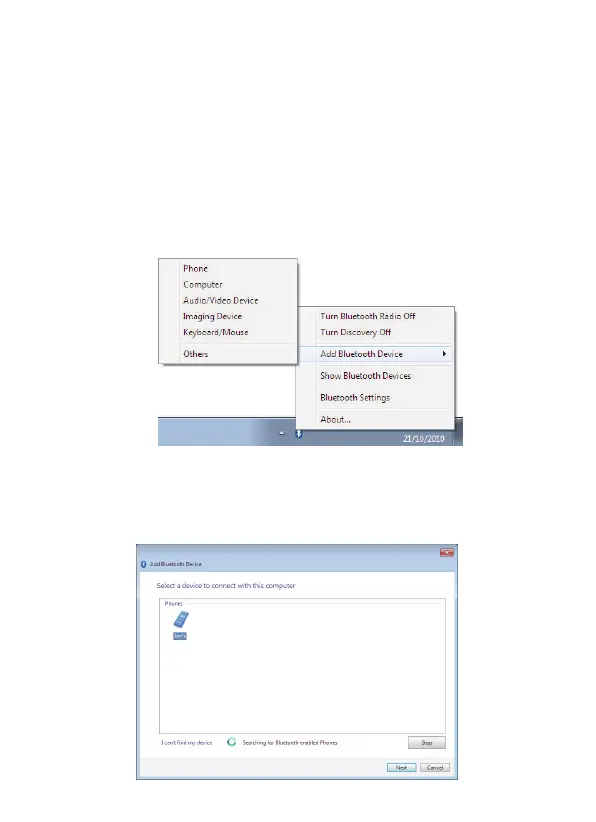
3.1 From the Notification area:
1. Ensure the device is turned on, has Bluetooth enabled and is
discoverable.
2. In the Notification area, right-click the Bluetooth icon, select
Add Bluetooth Device
and choose the device type you want
to add:
3. The
Add Bluetooth Device
window opens.
All discoverable Bluetooth devices of the chosen type, which
are in range, will be displayed. Click on the device you want to
connect to and click
Next
:



 To Next Page