EasyManua.ls Logo

Lowrance StructureScan 3D - User Manual

Lowrance StructureScan 3D
16 pages
Print Icon
To Next Page IconTo Next Page
Loading...
ENGLISH
StructureScan 3D
User Guide

Other manuals for Lowrance StructureScan 3D

Question and Answer IconNeed help?

Do you have a question about the Lowrance StructureScan 3D and is the answer not in the manual?

Summary

About StructureScan 3 D

Basic Operation

Selecting the StructureScan Source

Allows selection of the StructureScan 3D module as a data source in the network menu.

Using the Cursor on the StructureScan Image

Explains how to enable and use the cursor for data display and interaction.

The 2 D Image

2 D View Options

Describes how the 2D view can be configured as DownScan or SideScan with overlay options.

The 3 D Image

3 D Mode Options

Explains the two modes for the 3D panel: Vessel Mode and Cursor Mode.

3 D View Options

Details view options like vertical enhancement, view lock, and target sensitivity.

Setting Up the Image

Advanced Menu Options

Covers noise rejection and TVG/Surface clarity for image enhancement.

Summary

About StructureScan 3 D

Basic Operation

Selecting the StructureScan Source

Allows selection of the StructureScan 3D module as a data source in the network menu.

Using the Cursor on the StructureScan Image

Explains how to enable and use the cursor for data display and interaction.

The 2 D Image

2 D View Options

Describes how the 2D view can be configured as DownScan or SideScan with overlay options.

The 3 D Image

3 D Mode Options

Explains the two modes for the 3D panel: Vessel Mode and Cursor Mode.

3 D View Options

Details view options like vertical enhancement, view lock, and target sensitivity.

Setting Up the Image

Advanced Menu Options

Covers noise rejection and TVG/Surface clarity for image enhancement.

Lowrance StructureScan 3D Specifications

General IconGeneral
Frequency455 kHz, 800 kHz
Beam Width60° at 455 kHz, 45° at 800 kHz
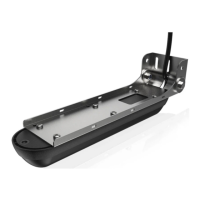
Transducer TypeSkimmer
Mounting OptionsTransom mount
Max Depth300 ft (91 m)
Connector9 Pin
Cable Length20 feet
Maximum Range Side600 feet
Depth Capability300 ft (91 m)
CompatibilityHDS Gen3, HDS Carbon, HDS LIVE

Related product manuals