L-STAT User Manual 26 LOYTEC
Version 1.0 LOYTEC electronics GmbH
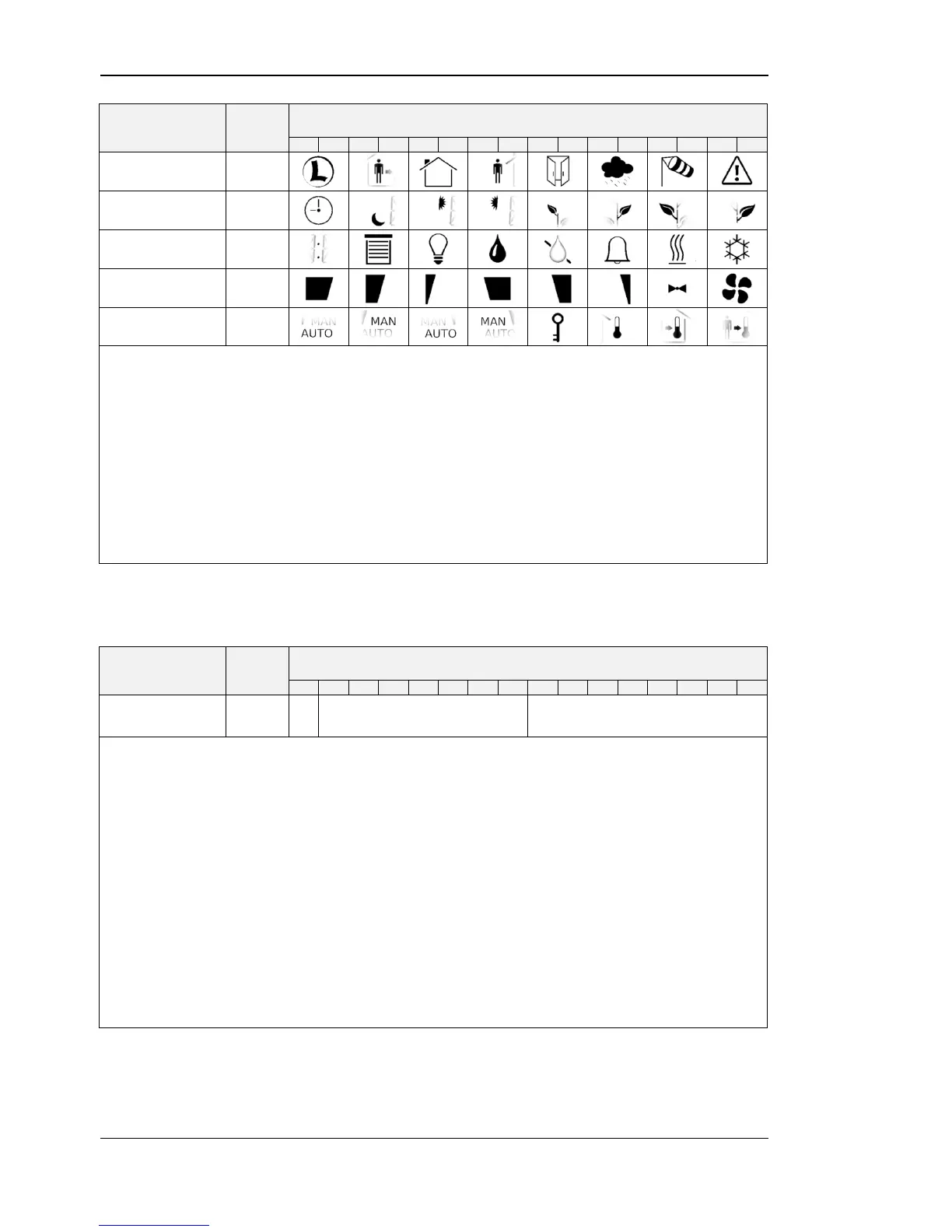
Symbols of the LCD can be directly set by writing these registers. For an overview of all
LCD segments please see Table 3 on Page 12.
2 bits are reserved per symbol indicating the state that can have the following values:
00 – disabled, symbol is not visible
01 – enabled, symbol is visible
10 – blinking slow (1Hz)
11 – blinking fast (2Hz)
For the house symbol the initial value is set to ‘01’ per default.
Table 12: Symbol Direct Access
user_interface_
direct_access
This register can be read to get information of which value is currently displayed. It can
also be written to determine the displayed value.
For a listing of all L-STAT operating modes see Table 4 on Page 16.
defines the current access level (0 – end user, 1 – system administrator)
defines the user interface mode the device is currently operating in
defines the index of the value currently displayed
Please see the following examples:
This means that display_value_1 is currently displayed in DISPLAY-mode
for the end user.
This means that set_point_0 is currently edited by the system administrator
in EDIT-mode.
Table 13: User Interface Direct Access


 To Next Page