Chapter 6 CPU Functions
6- 7
6.5 Forced Input/Output On and Off Function
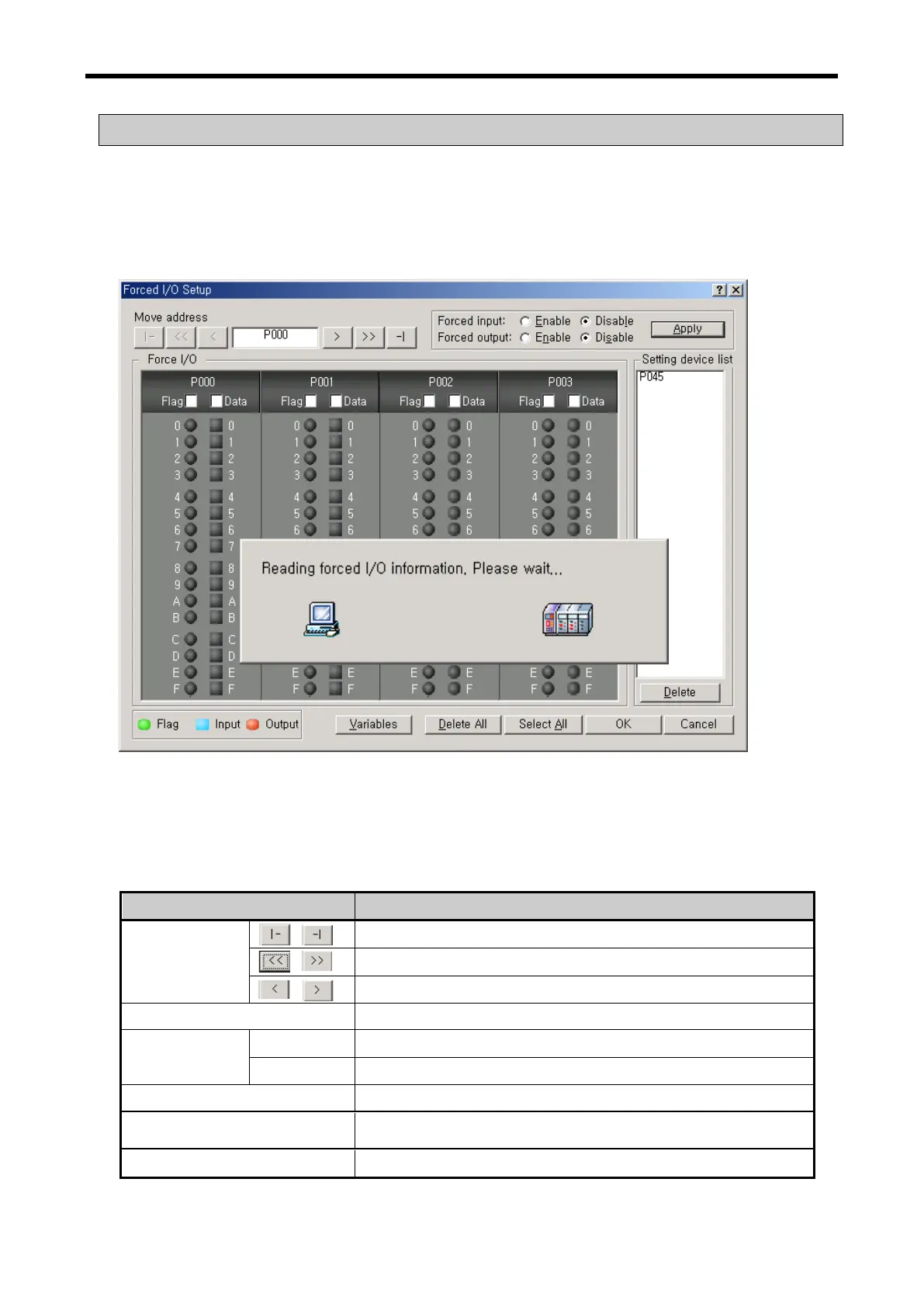
Force I/O function is used to force to turn I/O areas on or off, regardless of program results.
6.5.1 Force I/O setup
Click『 Online 』-『 Force I/O 』.
Move to the beginning and end of I/O area (P000↔P127)
Move to ±8 of I/O area displayed at the very left.
Set whether to allow or not Force I/O
Set whether to allow or not Force I/O by bits.
Set Force I/O data on or off by bits.
Set to allow Force I/O with all I/O area on
Delete to allow Force I/O with all I/O area off.
Display I/O area set as a bit.



 To Next Page