Laser Console Basics 33
UltraPulse
0637-129-01, Revision G
Disconnecting the Laser
(for UltraPulse systems with a removable wall plug)
1 Turn the keyswitch to the (off) position.
2 Place the laser main power circuit breaker in the off (down) position.
3 Remove the power plug from the electrical outlet and wrap the power cable
around the cable wrap.
4 Place the footswitch on the footswitch storage mounts on the rear of the laser
console. Coil the footswitch cable and store it inside the footswitch housing.
Do not wrap the footswitch cable around the power cable wrap.
5 Disconnect any delivery systems, including all adapters and couplers, and
unplug all cables from the articulated arm and laser console.
6 Place the red protective cap securely onto the end of the articulated arm.
7 Fold and store the articulated arm in the articulated arm storage compart-
ment.
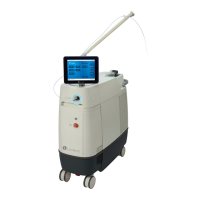
Moving the Laser Console
CAUTION - Never use the articulated arm to move the laser. Moving the
laser with the articulated arm may irreparably damage the articulated arm.
1 Disconnect the laser.
2 Unlock the laser console wheels by pulling up on the wheel locks.
3 Using the laser console handle, move the laser to the desired site. Position the
laser console no less than 50 centimeters (20 inches) from walls, furniture, or
other equipment. Adequate space around the laser console ensures proper air
circulation.
4 Lock the laser console wheels by stepping on the wheel locks.


 To Next Page