Setting Treatment Values 79
UltraPulse
0637-129-01, Revision G
Setting Treatment Values
In UltraPulse mode, the available treatment settings are energy, rate (or
power), timed exposure, and repeat delay. Fluence is adjustable in UltraPulse
CPG mode only. To select UltraPulse mode, press the UltraPulse tab at the
top of the control screen, or access UltraPulse mode through SurgiTouch+,
Aesthetic and one of the mode buttons: ActiveFX/MaxFX or PigmentFX.
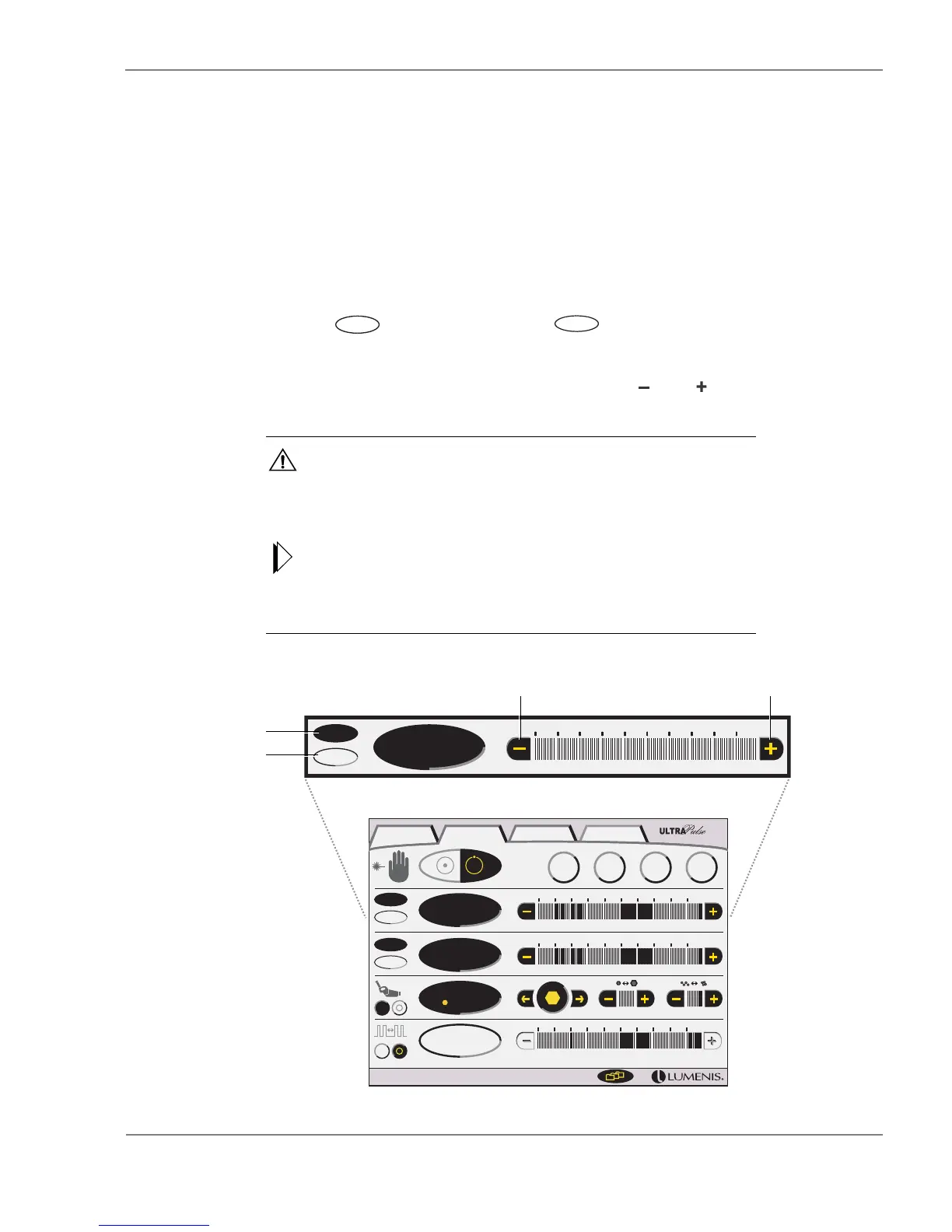
Setting the Energy or Fluence
1 Press the (energy) button or the (fluence) button. The selected
button highlights to indicate whether energy or fluence is active.
2 Select the desired energy or fluence by pressing the and buttons on the
energy/fluence bar. The default energy setting is 100 milliJoules.
CAUTION - The energy shown on the energy display indicates the energy
delivered to the end of the articulated arm, not necessarily the amount
delivered to the treatment site. Consult your delivery system operator manual
to determine if the delivery system introduces a transmission loss to the final
output energy.
Some energy settings may not be available at higher repetition rate settings. If
you attempt to select an energy that is unavailable at the existing repetition
rate setting, the system will emit a low tone, indicating that the value is not
available. Reducing the repetition rate may increase the amount of available
energy.
UltraPulse—Setting the Energy or Fluence (CPG Controls Active)
J
Hz
10 Hz
1-2-5
0.10 s
W
1.3 W
125 mJ
9.4 J/cm
17.3 J/cm
2
2
J
J/cm
2
125
SurgiTouch + UltraPulse CW Options
CO
Lite
2
TM
Active
FX
TM
Active
FX
Gentle
TM
Max
FX
TM
J
125 mJ
J/cm
9.4 J/cm
2
2
Increase energy or fluenceDecrease energy or fluence
Set the
energy
Set the
fluence



 To Next Page