Setting Treatment Values 85
UltraPulse
0637-129-01, Revision G
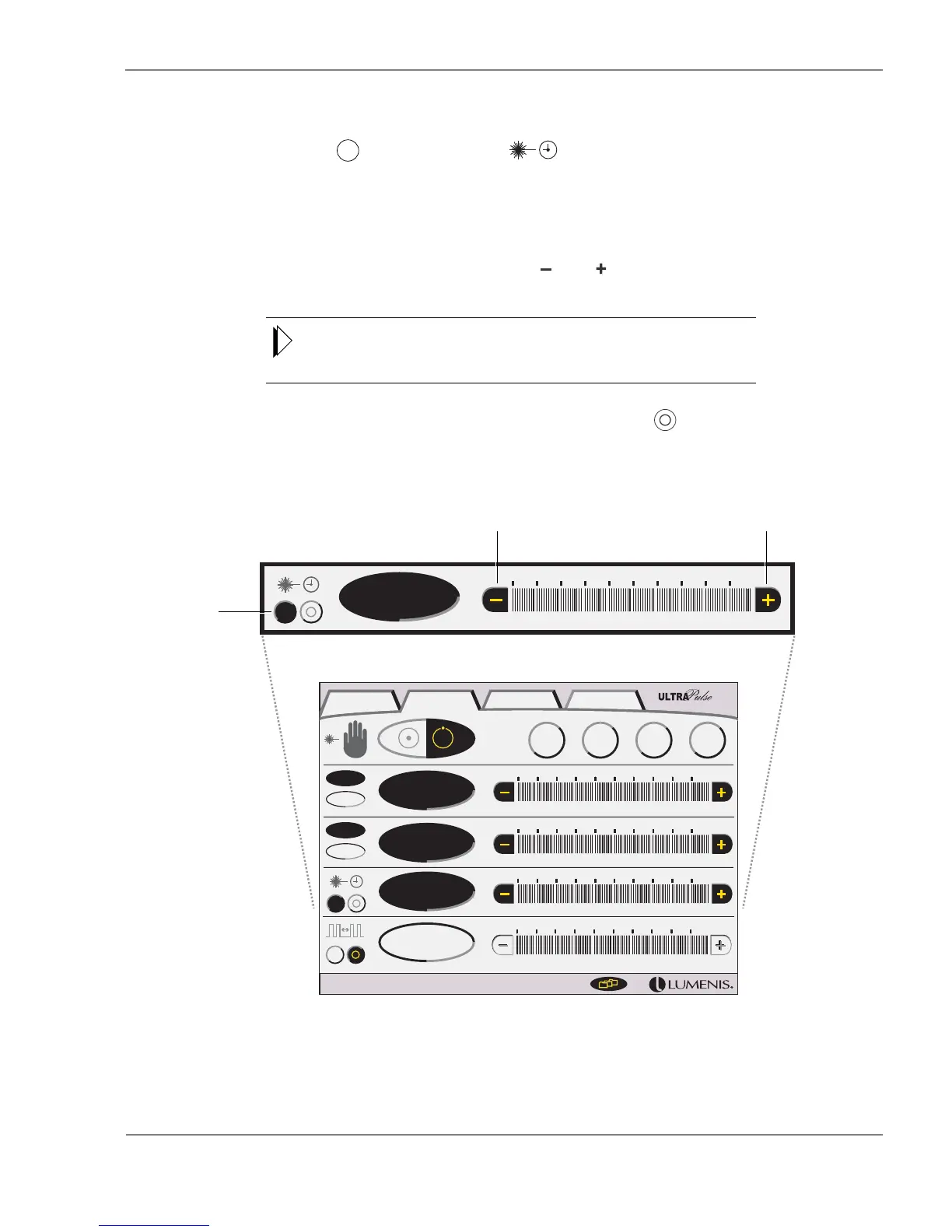
Setting Timed Exposure
1 Press the (on) button on the (timed exposure) bar. The button
highlights to indicate that timed exposure is active.
The exposure time, in milliseconds, and the number of pulses to be delivered
display on the control screen.
2 Set the exposure time by pressing the and buttons on the timed expo-
sure bar.
In UltraPulse mode, exposure time increments are dependent upon the rate
setting; the higher the rate, the smaller the increments, and hence, the more
control you have over exposure time.
3 To turn off timed exposure, press the timed exposure (off) button.
UltraPulse—Setting Timed Exposure
600 Hz
60 W
100 mJ
7.5 J/cm
2
10 ms
J
J/cm
2
Hz
W
0.10 s
10 ms
UltraPulse CWSurgiTouch + Options
CO
Lite
2
TM
Active
FX
TM
Active
FX
Gentle
TM
Max
FX
TM
Increase exposure timeDecrease exposure time
Timed
exposure
on/off



 To Next Page