English -
12
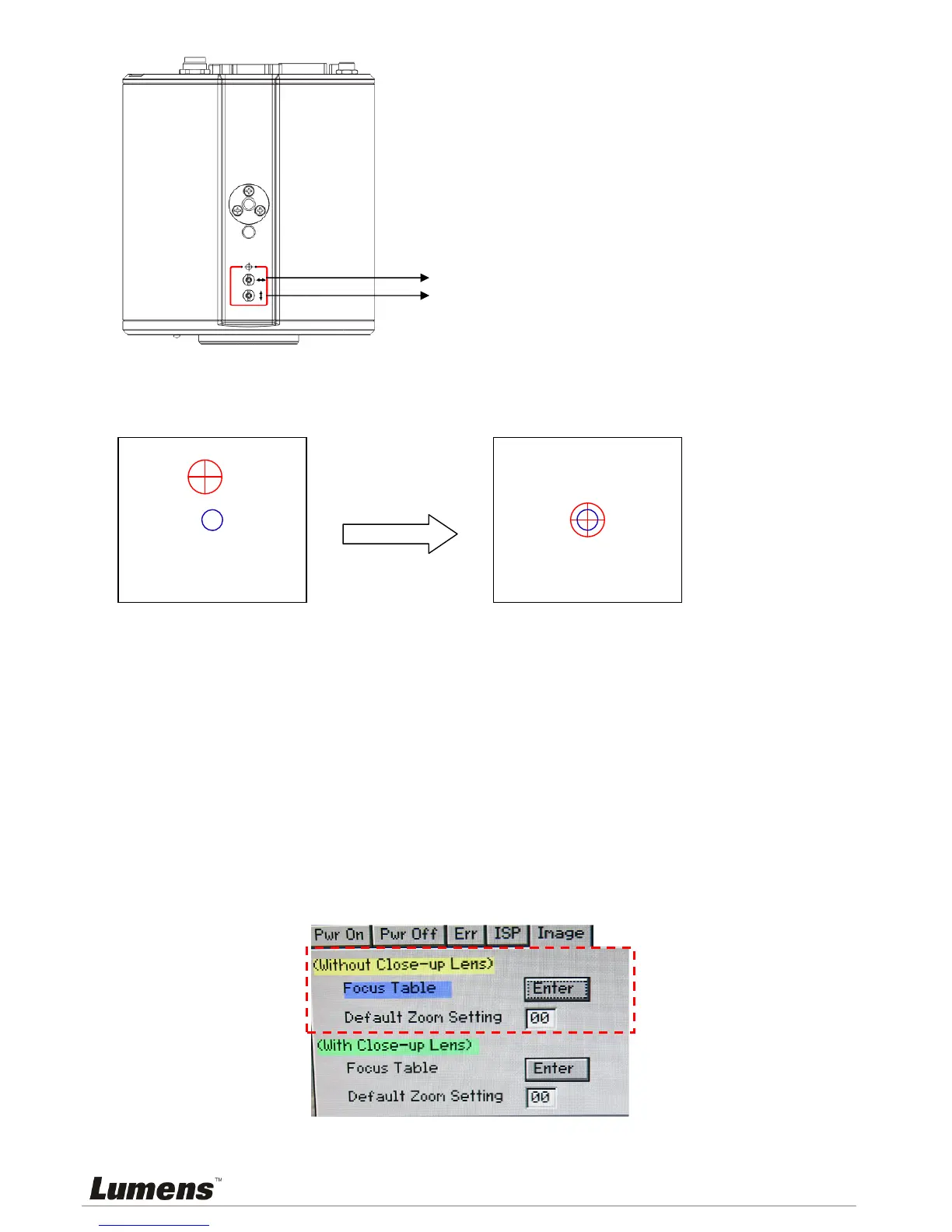
4.5.5 Adjust the cross laser mark (red box) deviated on the screen to the center point of the blue
positioning mark, as shown in the following figure:
4.6 AF Table Set for auto focus setting
4.6.1 Set up AF table
This setting can speed up the AF operation.
1. Press [FREEZE] -> [DEL] -> [ENTER] on the remote control to enter the Service Menu.
2. Press [] or [] to select the [Image] menu.
3. Press
[] to <Without Close-up Lens> -> [Focus Table], and press [Enter] to activate the
Focus Table.
<Note>
If Close-up Lens (Optional) was installed, select <With Close-up Lens> for
operation.
4. Press [MENU] to select [Adjust], and press [Enter] to adjust.
5. Press [MENU] to select [Save], and press [Enter] to save.
6. Press []
or [] to select [Yes], and press [Enter] to save it.
Adjust right and left
Adjust up and down


 To Next Page
 Loading...











