English - 23
6.18.2 To use web remote control
<Remark> For more information about the website login page, please refer to
6.21.1 I would like to view the live images or use the control keys.
1. Click [Settings].
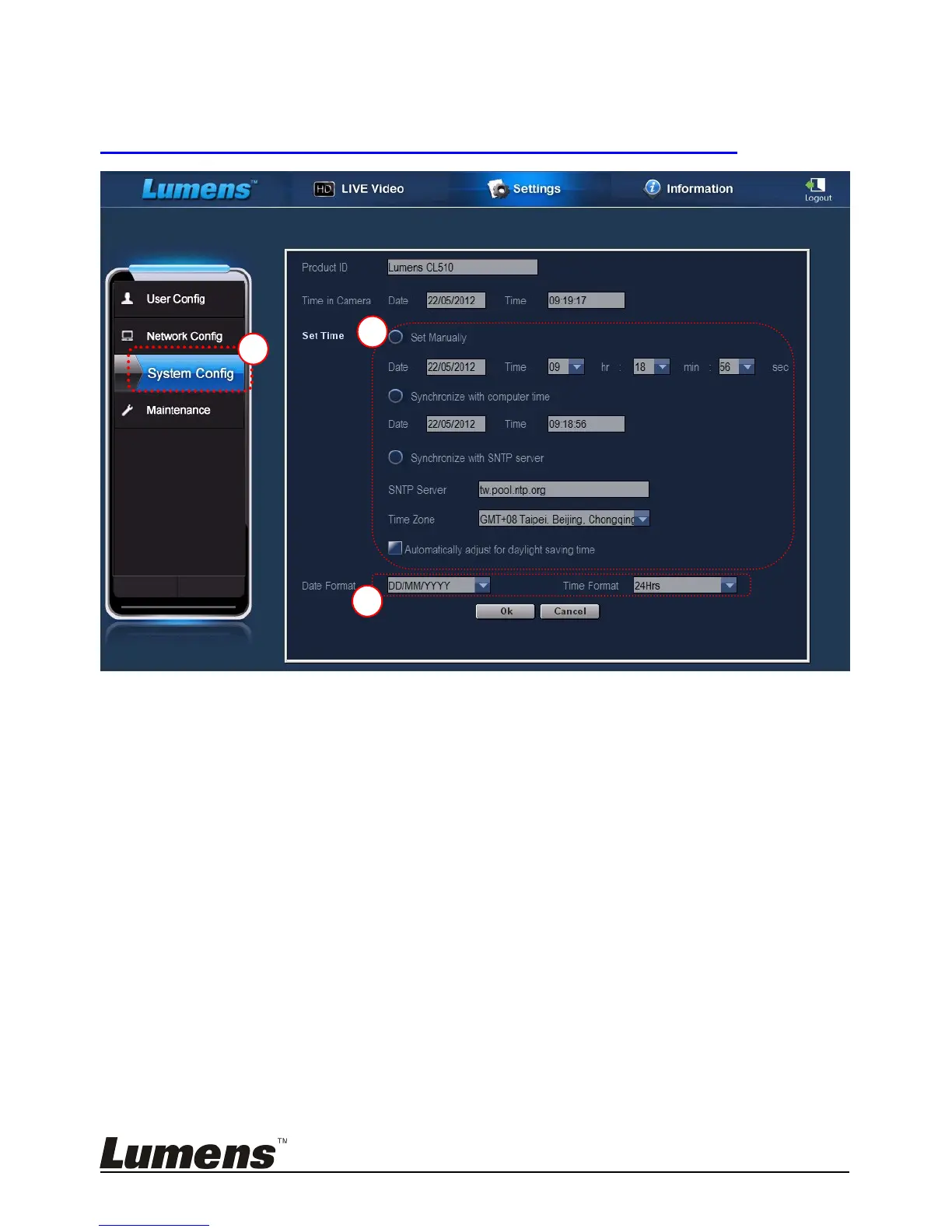
2. Click [System Config].
3. Set the date and time.
<Remark> Set Manually: Set the date and time manually.
Synchronize with Computer Time: Synchronize time with
the PC.
Synchronize with SNTP Server: Synchronize time with
SNTP server.
Synchronize Server: Set SNTP Server. (Default
recommended)
Time Zone: Set the Time Zone.
Automatically adjust for daylight saving time: Automatically adjust
for daylight saving
time.


 To Next Page
 Loading...











