English - 24
4. Select formats of date and time.
5. Click [OK] to conform and submit.
6.19 I would like to resume the factory default settings
(Factory Reset)
1. Press [MENU] on the Remote Control to enter the setting menu.
2. Press [] or [] to select [Advanced] menu.
3. Press [] to select [Factory Reset].
4. Press [] or [] to select [Yes].
5. Press [ENTER] to activate.
6.20 Computer-related functions
Confirm if the device has been connected to the computer prior to use.
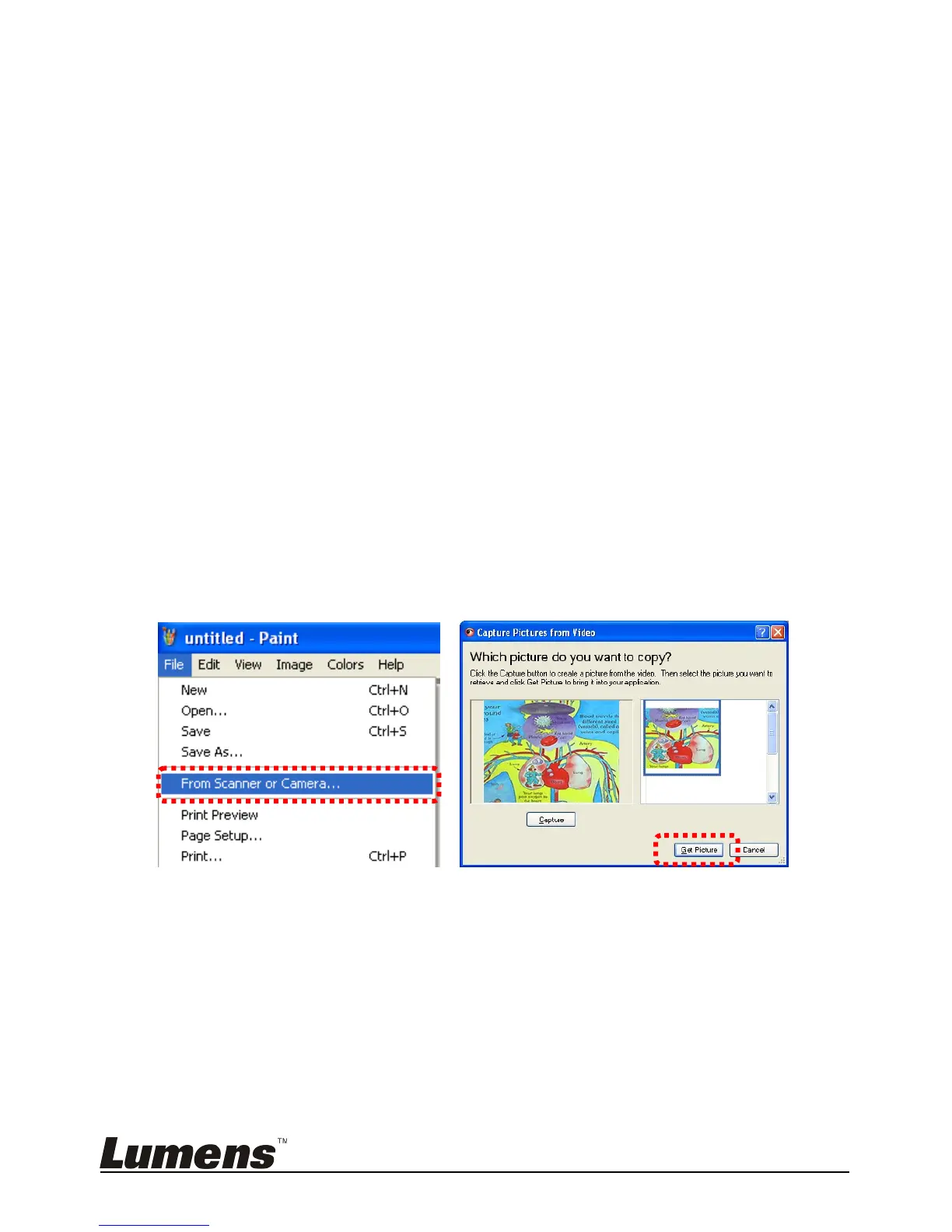
6.20.1 I would like to insert a photo in MS-Paint
<Remark> Support Windows XP Operation System only.
1. Click [File/From Scanner or Camera] in MS-Paint as shown in the
bottom left figure.
2. Click [Get Picture] to finish. Please refer to the top right figure.
6.20.2 I would like to insert a photo in MS-Word
<Remark> Support Windows XP Operation System only.
1. Click [Insert/Image/From Scanner or Camera] in MS-Word.



 To Next Page
 Loading...











