English - 25
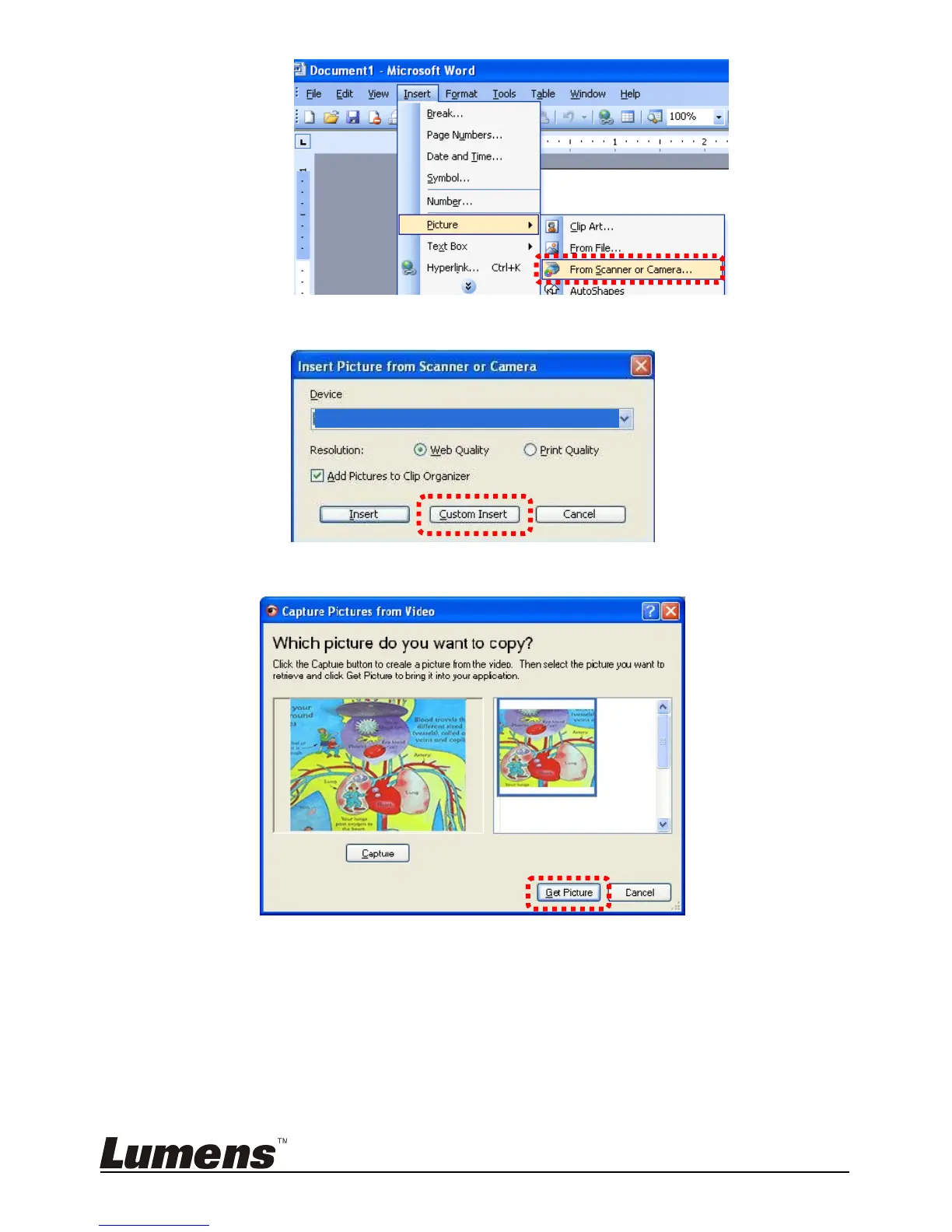
2. Select [USB Video Device] and click [Custom Insert].
3. Click [Get Picture] to finish.
6.20.3 I would like to change the setting of the CL510 and then
capture a photo in MS-Word
<Remark> For Windows Office 2003 or later versions, please use the
function with OneNote.
1. Click [Insert/Image/From Scanner or Camera] in MS-Word.


 To Next Page
 Loading...











