SETUP
The Pico S8 is an add-on expansion module designed be integrated into your Poco digital lighting control system to will add
additional functionally, and allow you to assign Poco virtual switch command to up to 32 physical switches.
Adding Pico S8 Module:
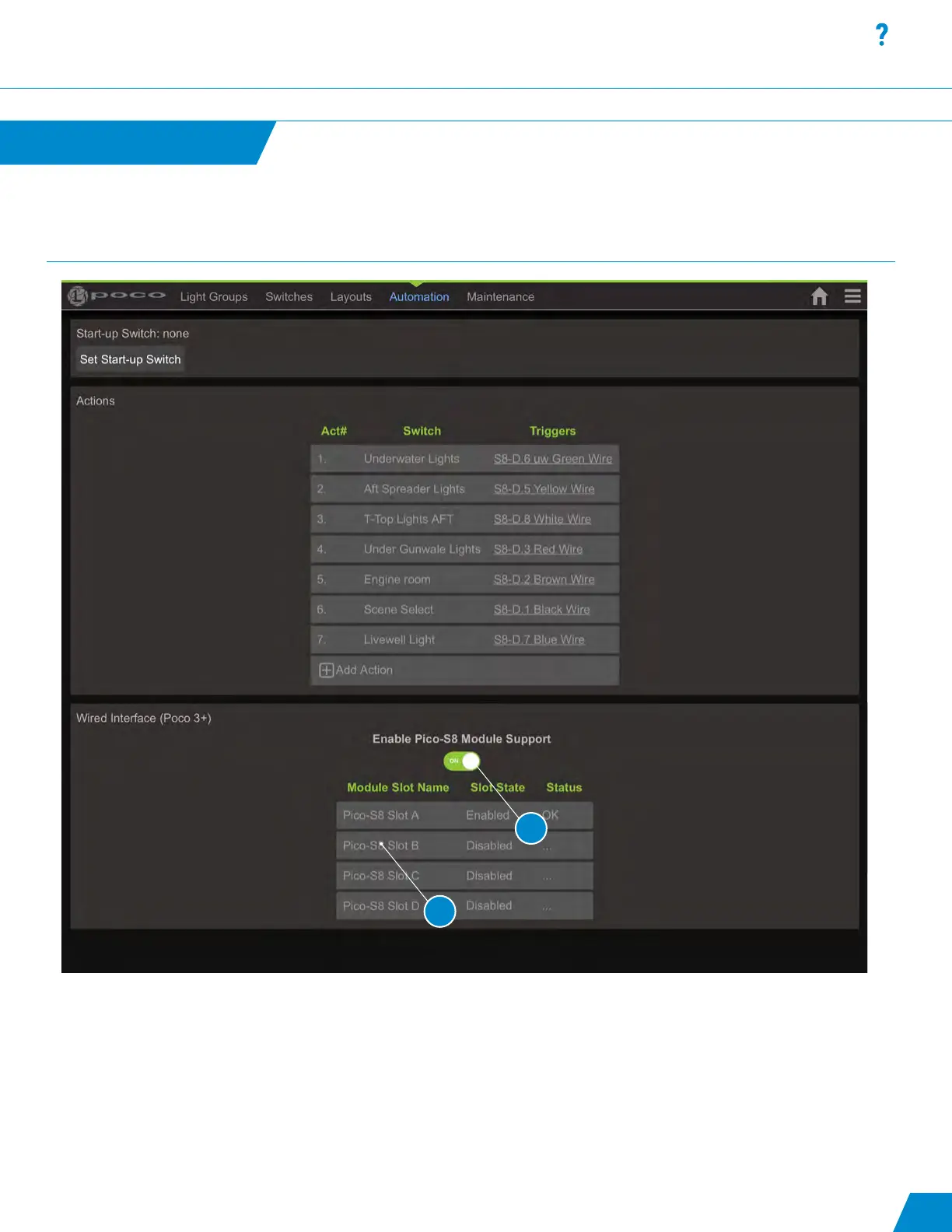
2. To enable and congure a Pico S8 module go to the “Wired Interface” section under the Automation tab and toggle the
“Enable Pico-S8 Module Support “ switch to ON position. You should now see 4 available slots to assign modules.
There are only 4 slots available giving the ability to connect a maximum of 4 Pico S8 modules per Poco system.
3. Select an empty slot to open the “Edit Interface Module dialog box”.
Automation
continued...
24
3
Automation continued...
2



 To Next Page