13
Battery Charging
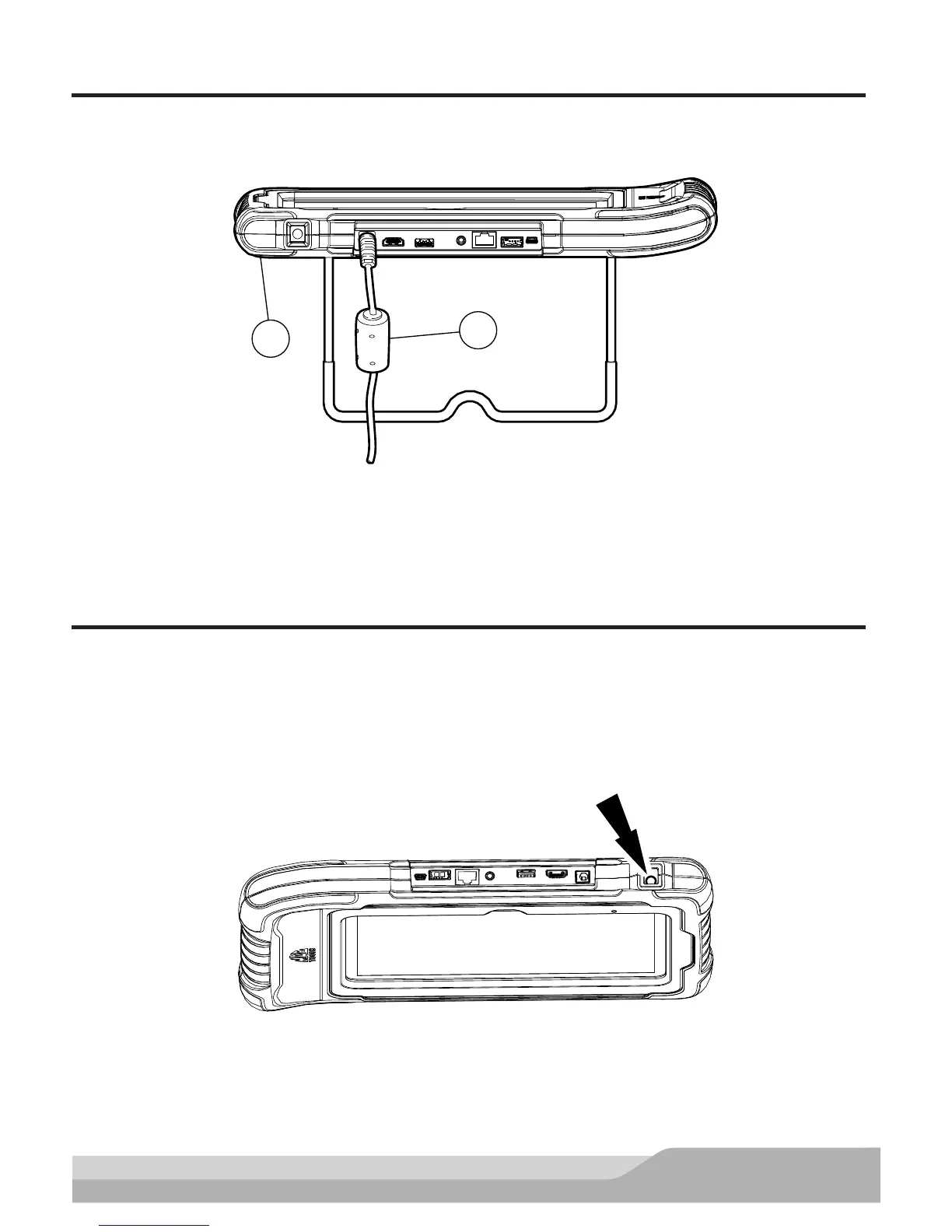
Connect the handset to AC power and fully charge the battery.
ss02584
1
2
Power Port
1. Handset
2. AC Power cord
When the handset is turned on, the level of battery charge is indicated in the upper right corner of the screen.
NOTE: The tool can be used while charging. The battery can also be charged using the 18 volt power supply
provided with the kit.
Using the handset
There are three options for use.
• Register Now: It is recommended to register for full functionality of tool and tech support.
• Trial Mode: This allows use of the handset for 30 days before it must be registered. If the 30 day trial
period is over before it is registered, the handset functions will be locked out. At that time, registered
mode or demo mode will need to be entered.
• Demo Mode: This mode demonstrates the functions by displaying random data.
ss02585
1. Press the power button to turn on the handset.


 To Next Page