31
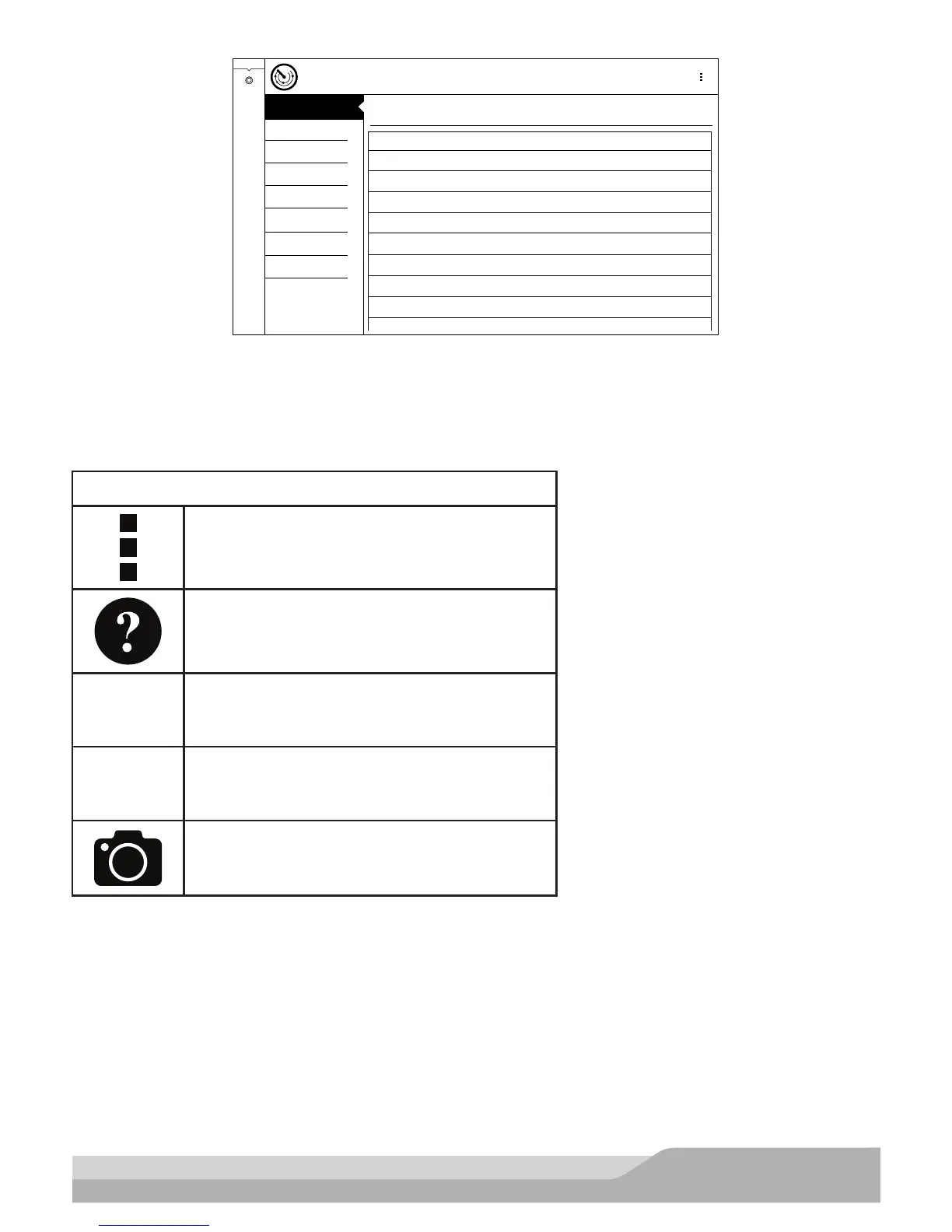
Generic OBDII
READINESS MODE 1
Readiness (Mode 1)
Monitor Description Status
ReadyCatalyst Monitor
Ready2nd Air Monitor
ReadyEvaporative Emissions Monitor
ReadyComprehensive Component Monitor
ReadyOxygen Sensor Monitor
Not SupportedMisfire Monitor
Not SupportedFuel System Monitor
Not SupportedHeated Catalyst Monitor
Not SupportedA/C System Refrigerant Monitor
DATA STREAM MODE 1
FREEZE FRAME MODE 2
DTC’s MODES 3,4,7,A
O2 SENSORS MODE 5
NON-CONTINUOUS TESTS
MODE 6
SPECIAL TESTS MODE 8
VEHICLE INFO MODE 9
Generic OBDII
Current
ss02418
1. View the readiness table to verify system status.
• Ready: No further action is required.
• Not ready: Further action is required. Drive Cycle needs to be performed.
• Monitor not supported: Data is not supported on vehicle.
NOTE: A vehicle must be selected before diagnostic Information becomes available. Refer to diagnostic hub,
Start New Section.
Readiness Mode Button Definitions
Menu Button
Tapping the Menu button displays a pop-up link
that takes the user to more buttons.
View Help
Selecting View Help will open an online opera-
tors manual.
Use Metric Units
Selecting Metric Units will switch from English/
Standard Units to Metric Units
Use English/Standard Units
Selecting English/Standard Units will switch
from Metric Units to English/Standard Units.
Take Screen Capture
Selecting Take Screen Capture will save a copy
of the current open screen.


 To Next Page