57
Select Option
Looks lik
VEHICLE BAY
SEARCH BY VIN
Engine J1939
Enter New Vehicle
You can always use the
Vehicle Identification Number.
Start AutoID
RECENT FAVORITES
OBD-II
Demo Mode
?
Heavy Duty
Engine MID 128 J1587/1708
Transmission MID: 130 J1587/1708
Brake MID: 136 J1587/1708
Instrument Cluster MID: 140 J1587/1708
Vehicle Management MID: 142 J1587/1708
Fuel System MID: 143 J1587/1708
Cruise Control MID: 144 J1587/1708
Cab Climate MID: 146 J1587/1708
Particulate MID: 177 J1587/1708
ON
ss02459
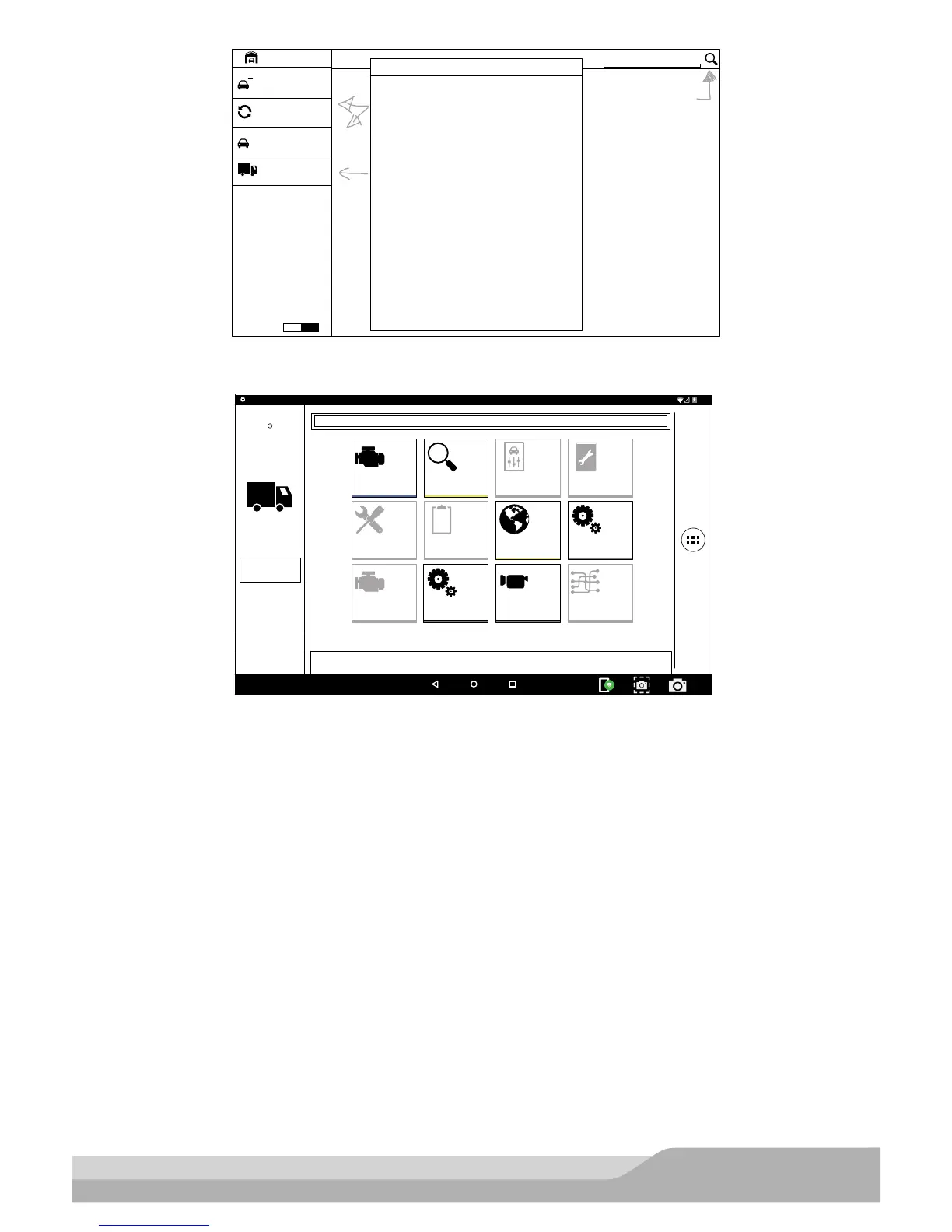
4. Select a controller.
Active
Search Google for ...
Heavy Duty
Engine MID 128
J1587/1708
OBD-II
Select Vehicle
Tue, 10 May 2016
HEAVY DUTY
CHECK
CHECK
101001
1001
0101
2:59
Read DTCs Data Stream Special Tests
Diagnostic
Information
SettingsBrowserMaintenance Tests
All System DTC
Scan
Automated System
Test Veiw Saved Tests
View Data Stream
Recordings
System Wiring
Diagrams
ss02460
5. At this point vehicle entry will disappear and the user will be able to begin using diagnostic functions on
the vehicle.
Note: Special Test, Diagnostic Information, Maintenance Tests, All System DTC Scan, Atuomated System Test
are not available.


 To Next Page