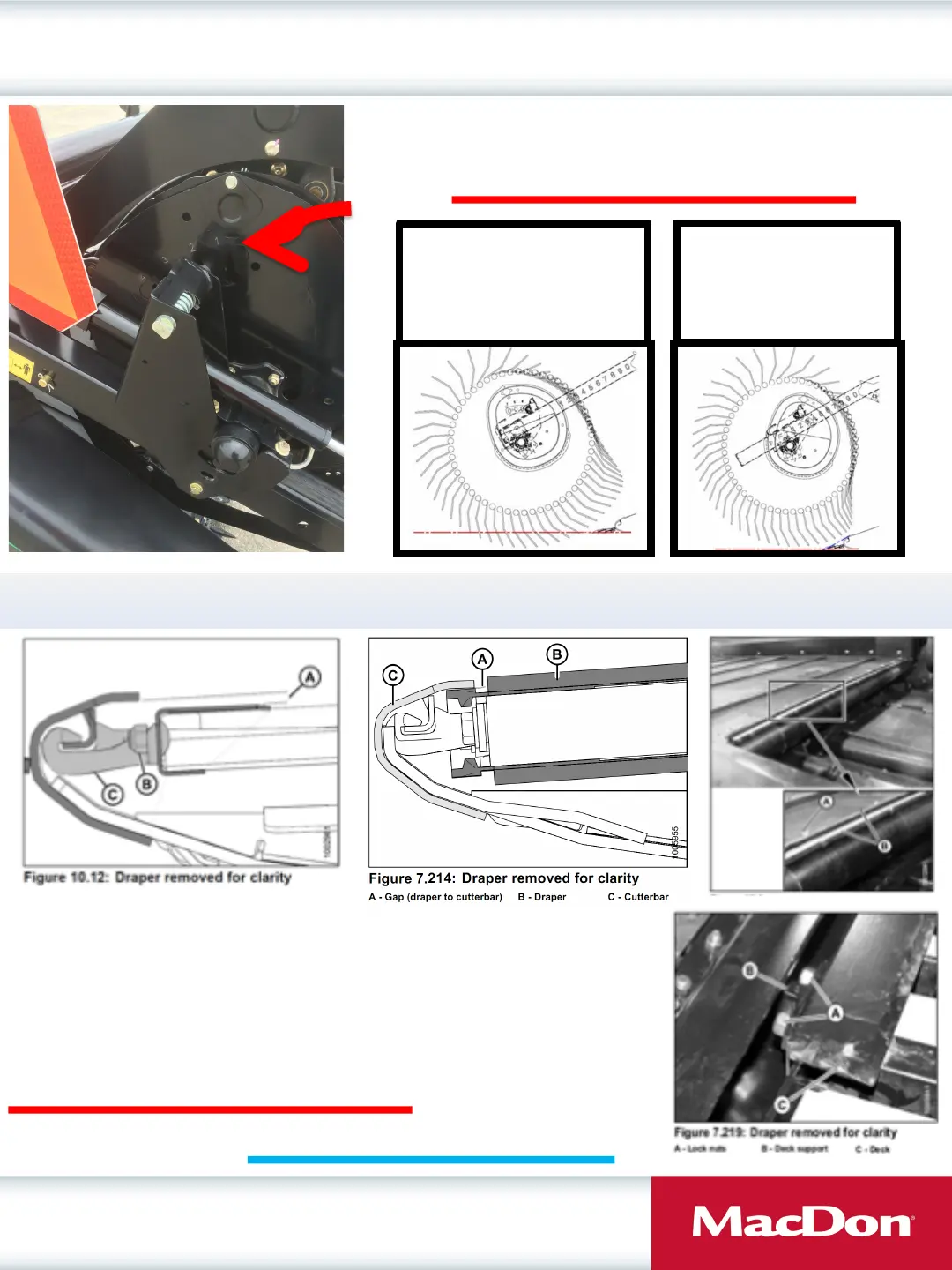
Adjusting Reel Cam Angle Positions
Draper Clinic Handout
11
Please Refer to Maintenance and Servicing Section of Operators Manual
Find your operators manual at: www.macdon.com/support/operators-manuals
Adjusting Deck Height
• Release Draper tension, remove tube connectors,
lift up at front edge past cutterbar and roll back.
• Measure draper belt thickness.
• Adjust deck height (A in Fig 10.12) to be 1 mm
greater than belt thickness.
Adjusting Draper Deck Height
D and FD series headers feature a 4 position reel cam adjustment
on the right end each reel (split reel headers must be adjusted
separately for each reel). The factory cam setting is position 2. Use
a ¾” (19mm) wrench to rotate pin and adjust cam to a different
position. Please Refer to Maintenance and Servicing Section of Operators Manual
Cam position 4: Most
aggressive position, use in
lodged crops or w hen reel
fore/aft is extended with the
reel ahead of the knife.
Cam position 1: Most
gentle position, use in
shatter prone crops or
when reel fore/aft is
retracted behind knife.








 To Next Page