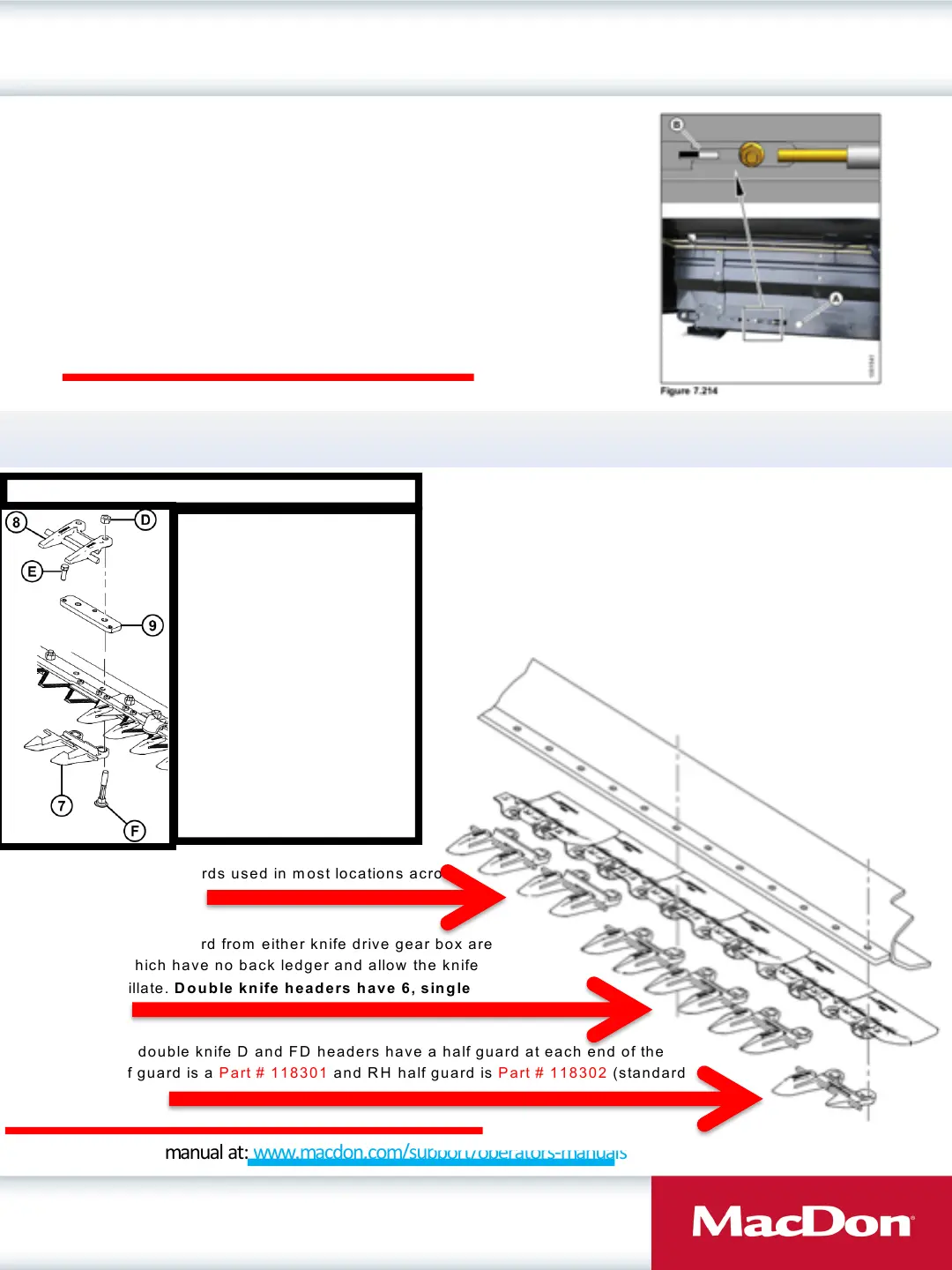
Adjusting Side Draper Tension
Draper Clinic Handout
13
Adjusting Side Draper Tension
• Turn bolt (A) clockwise and white indicator bar (B)
will move inward, indicating that the draper is
being tightened.
• Turn bolt (A) counterclockwise and indicator bar
(B) will out outboard, indicating the draper is being
loosened.
• When properly tensioned, the white indicator (B)
will be halfway across the inboard side as shown.
• Please Refer to Maintenance and Servicing Section of Operators Manual
Find your operators manual at: www.macdon.com/support/operators-manuals
(7)- Sickle Guard— Center,
Pointed Part Number 124338
(8) - Pointed Guide– Top-Center,
Part Number 124344
(9) - Bar - Adjuster Part 34980
(D) - Nut - Part number 18654
(E)- Bolt - Part Number 50120
(F)- Bolt - Part Number 132404
Center Guard parts - Double Knife Drive Headers
Pointed Guard Part Numbers for D and FD Headers
Standard (non stub) guards used in most locations across
cutterbar. Part #118344
The next 3 guards inboard from either knife drive gear box are
Part #118345 which have no back ledger and allow the knife
freedom to oscillate. Double knife headers have 6, single
knife have 3.
Both single and double knife D and FD headers have a half guard at each end of the
header. LH half guard is a Part # 118301 and RH half guard is Part # 118302 (standard
non stub guards).
Please Refer to the MacDon parts catalogue for part numbers on your specific model




 To Next Page