1. The software (APK file) can be downloaded from website
machineryguideapp.com, from the following link:
machineryguideapp.com/en/releases
a. It is recommended to reach the website directly from your
tablet/smartphone, since this way the APK file is installed right away
when tapping the download link.
b. When the installer file (APK file) is downloaded to your computer,
copy the file to your Android device. For this, connect your device to
the computer as a media device with a USB-cable.
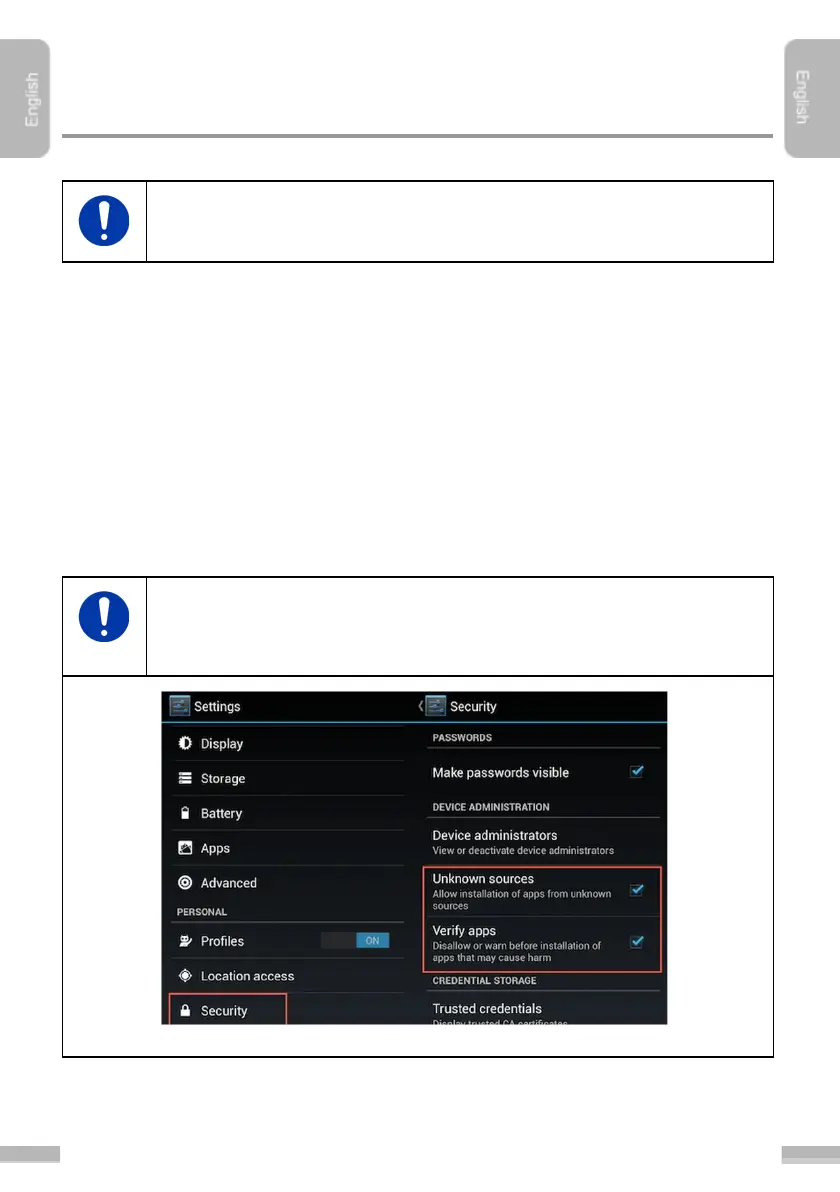
Since MachineryGuide app is outside of official Android marketplace, to
install the APK first go to Settings, scroll down to Security, and select
Unknown sources.


 To Next Page