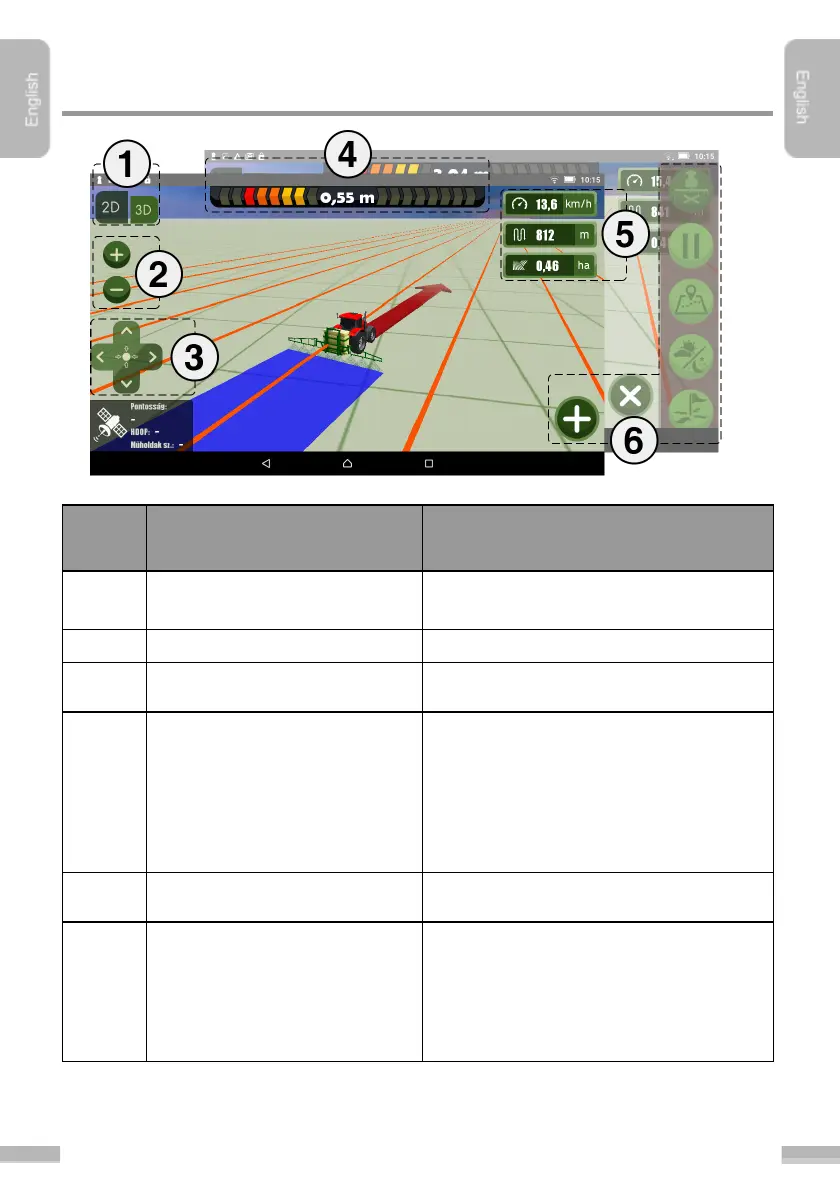
Layout of the Navigation screen
Swapping between bird’s-eye view and
3D-view.
Zoom in or out of the machinery
Bird’s eye view: moving the camera around
3D view: rotate the camera around
Navigation arrow, navigation distance and
field border notification are the parts of the
navigation. The navigation arrow turns in
proportion to distance, visually indicating to
the user how to correct the direction of the
machinery.
Gauges to display information about the
actual job.
Function buttons are hidden by default.
They can be revealed by tapping the
button in the right bottom corner, or by
pulling them from the right side of the
screen.


 To Next Page