Steps of starting a job session:
1. Start the program
2. Set the parameters in the “Options
” menu that are necessary to start
guidancing.
a. set workwidth
b. set center-offset
c. Set distance of the antenna
d. Set guidance mode
e. Set allowed overlap
3. Select the built-in GPS-module as the GPS-source in the “Localization
source
” menu.
4. Tap ”Start
”.
5. To start a job session, the Built-in GPS-module has to be turned on.
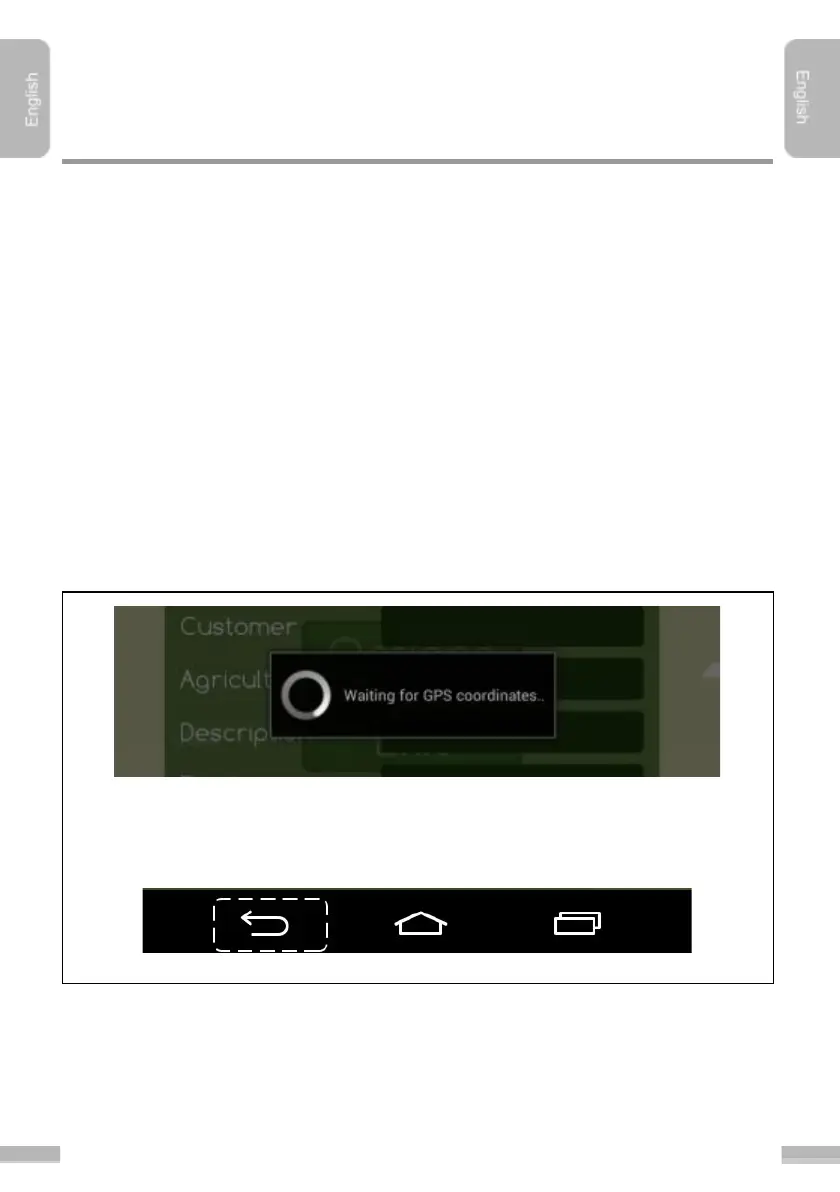
6. After tapping ”Start
” the following window appears. Wait until the pop-up
window disappears.
While waiting for GPS-reception all functions of the program are blocked. The program
behind the dialogue window indicating waiting is darkened. You can interrupt the
progress anytime by tapping the tablet’s/phone’s ”Back
” button.


 To Next Page