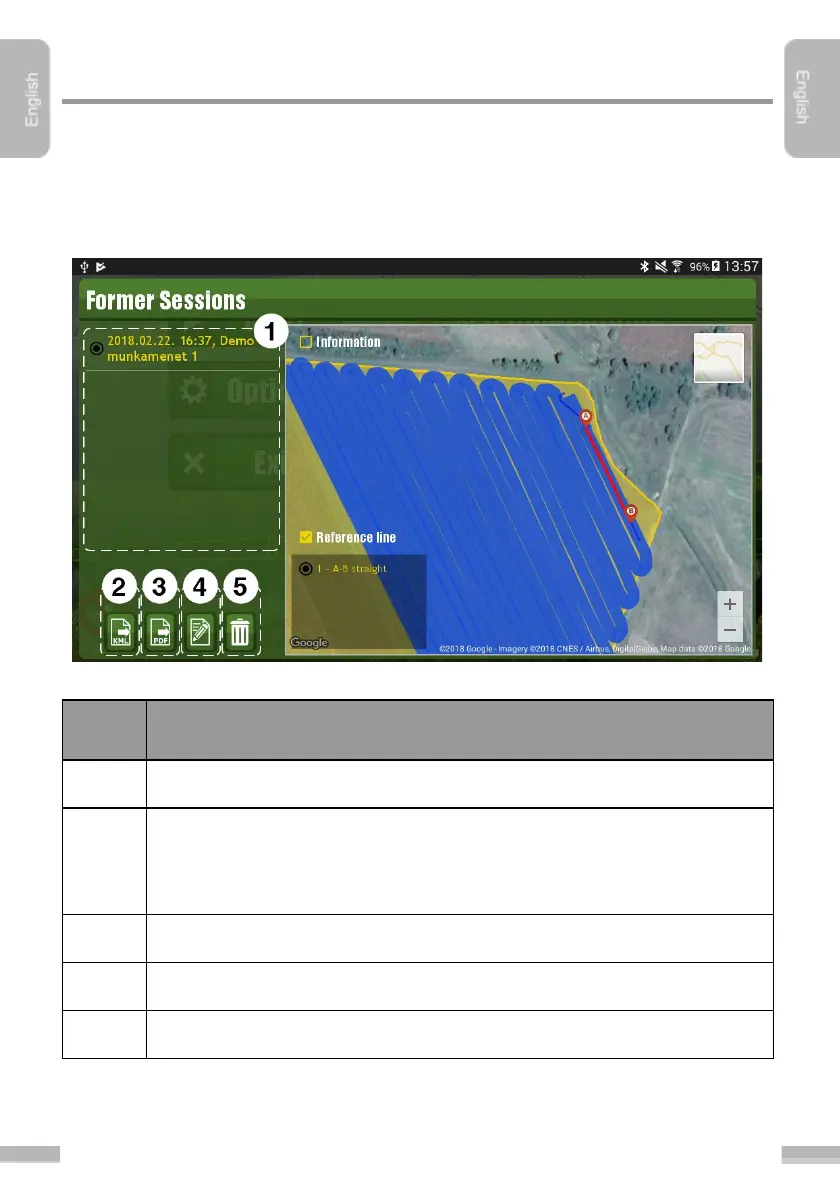
Former paths can be managed in the “Session
handling
” sub-menu in the “Settings
”
menu. All statistical data of the saved paths and former jobs can be viewed here, with
area of the field (if it has been assigned to the actual job) and reference lines. Route
of the previously done fieldwork also appears here.
Former sessions screen:
Export selected session to a KML file. The exported file can be found in the
“MachineryGuide” folder at the root of the file system and can be opened in
any free KML-viewer application (such as GPX Viewer, Google Earth)
In the opened KML file various information about the job can be displayed.
Export selected session to a PDF file.
Edit data of the selected job


 To Next Page