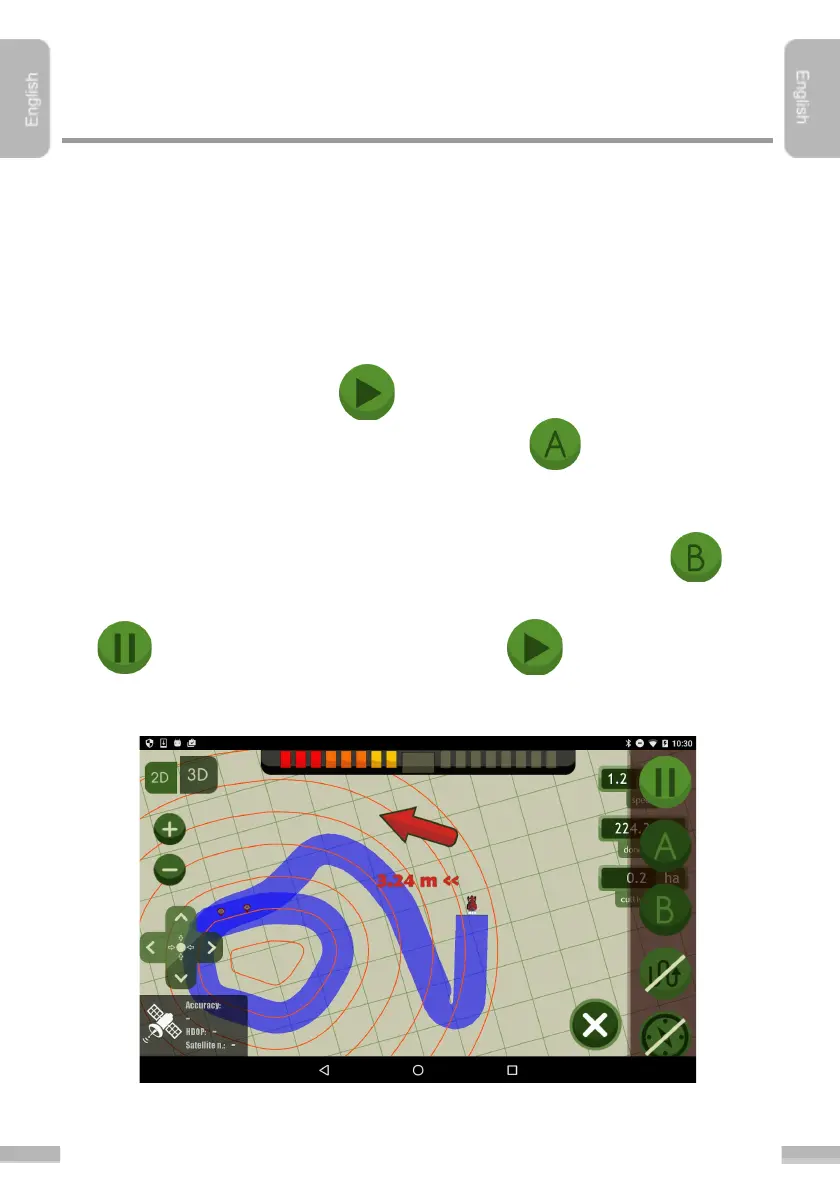
Steps of starting navigation
1. Choose “AB round curve” mode in Settings
, under Guidance mode
sub-menu.
2. Go through the steps of ”Starting a new job session”.
3. Drive the agricultural machine to the right position, if the machinery is not yet
at the area to be cultivated
4. Tap “Start” to start the job.
5. Start to go around the field, and set point “A” as the first reference
point
6. Drive forward. After surrounding the field, return to the ”A” reference point
and place ”B” reference point by tapping the following button:
7. Guidancing now has started. It can be interrupted any time by tapping the
button, and be continued by tapping the button.
8. Go by the outlined navigation lines, follow the directions of the navigation
arrow:


 To Next Page