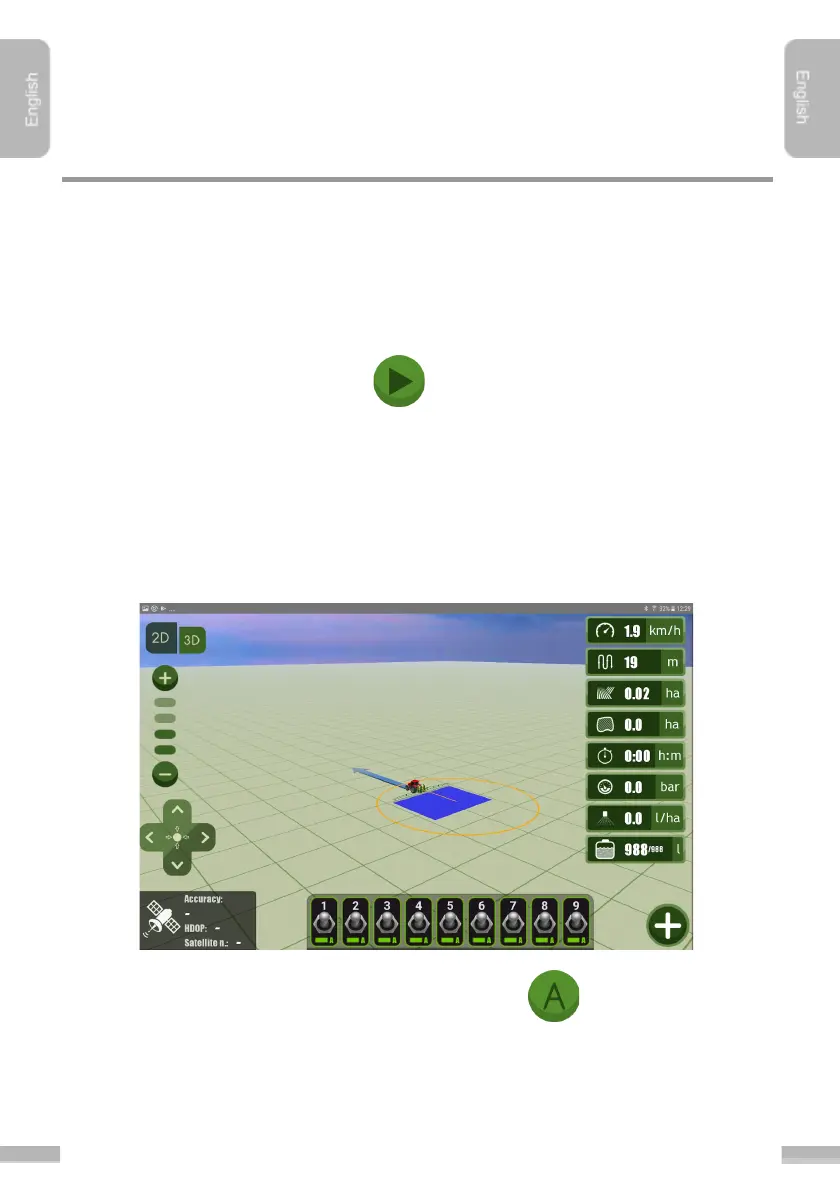
Steps of starting navigation:
1. Choose “A-B with surrounding” mode in Settings
, under Guidance mode
sub-menu
2. Go through the steps of ”Starting a new job session”.
3. Drive the agricultural machine to the right position, if the machinery is not yet
at the area to be cultivated
4. Tap “Start” to start the job.
In case of AB with surrounding guidancing, first drive around the field area and point
out the ”A” and “B” reference points, the so-called reference section, to which the
navigation path (parallel lines) will be calculated. You should follow these lines during
guidancing.
5. A circle appears at the starting point of the job, indicating the place where the
machinery have to return after surrounding the field:
6. Start to go around the field, and set point “A” as the first reference
point
7. Drive forward. To place ”B” reference point the machinery need to be at least
50 metres away from point ”A”. Until then, ”B” button is inactive.


 To Next Page