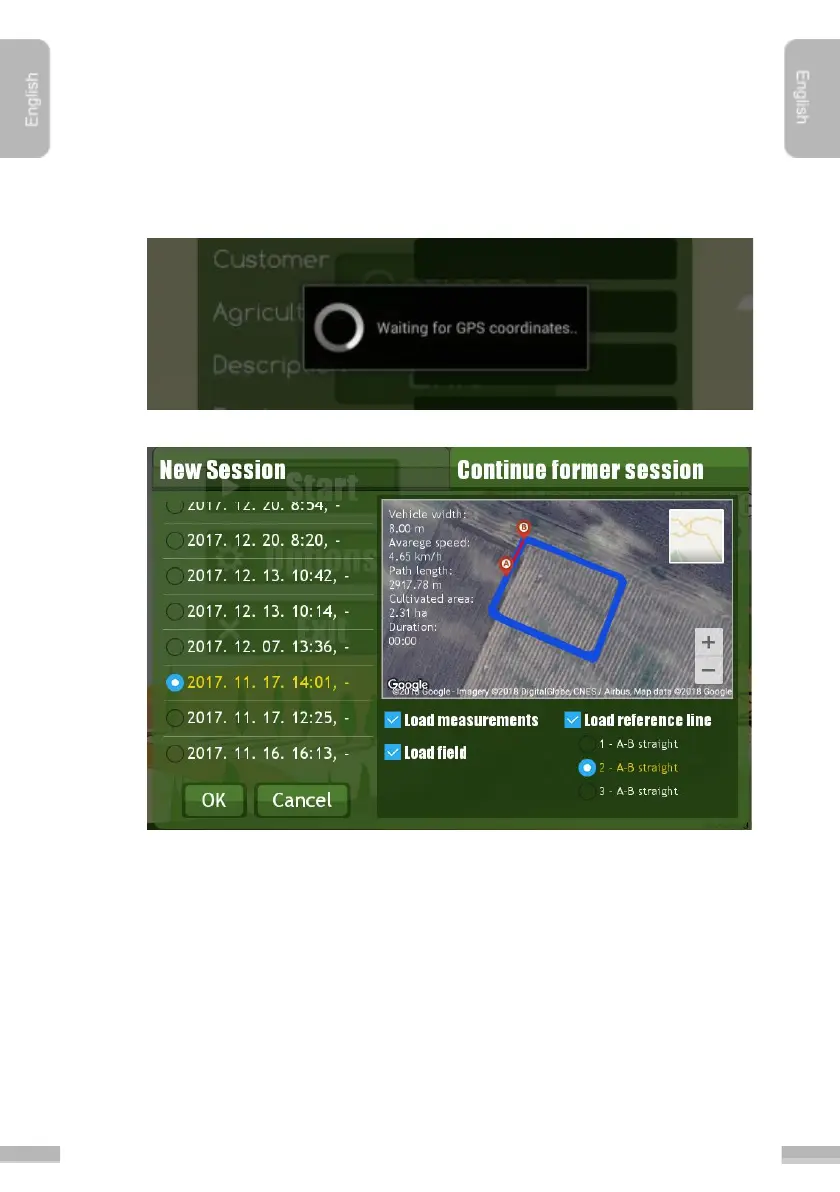
Steps to continue a job session:
1. Start the program.
2. In the main menu tap ”Start
”.
3. As soon as the initialization of the GPS’s position reception is done, the
following window disappears:
4. Tap ”Continue former session” tab.
5. Select the session from the list that you want to continue. Newer items listed
first.
6. Click “Ok
” to start loading the job.


 To Next Page