Session handling, GPS source and Display menu
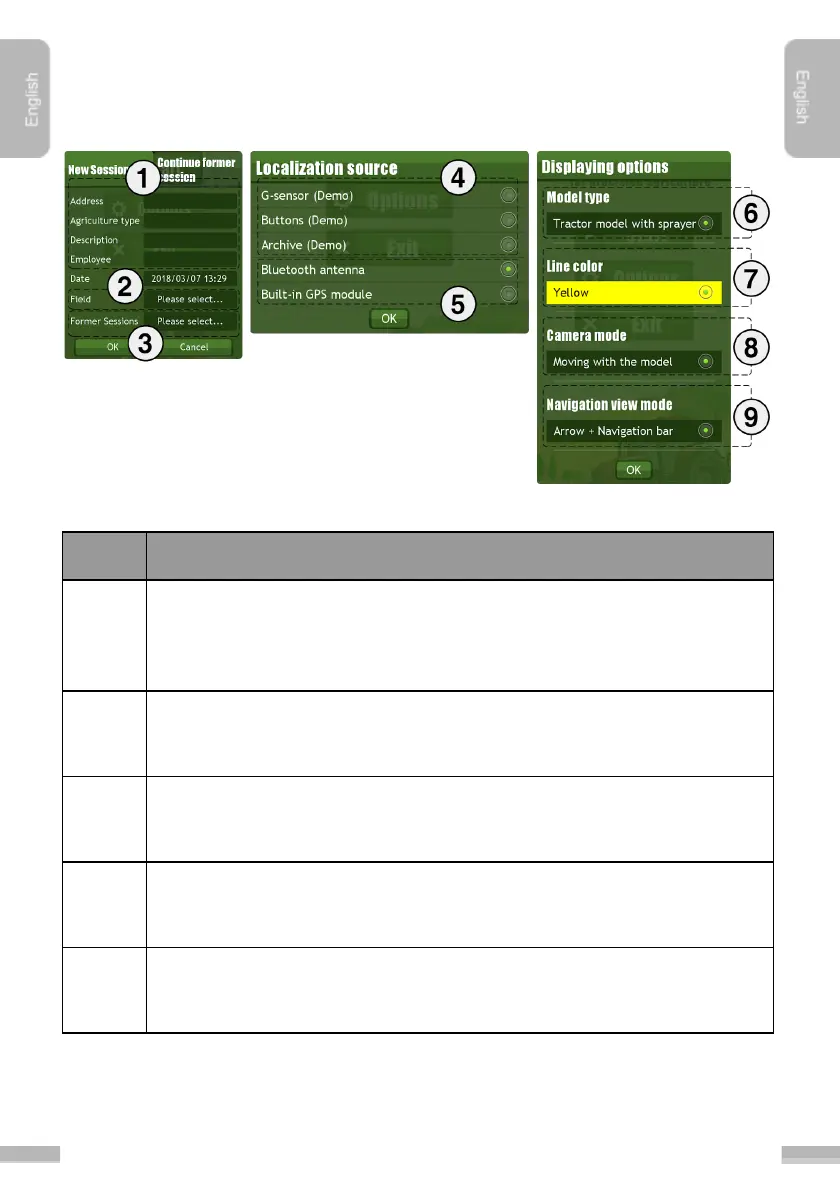
For each job session several parameters can be set, which can checked
anytime later on. Address of the field, type of actual agriculture, description
of the job and the name of the employee can be set here.
Previously saved Fields with their parameters can be loaded by tapping
here.
Previously saved Sessions can be loaded by tapping here. Tap to “Continue
former session
” to simply load and continue a saved session.
G-sensor control, Button control and Archive session can be set for demo or
testing purposes.
External Bluetooth antenna or Built-in GPS module can be set as actual
GPS data source.


 To Next Page