EasyManua.ls Logo

MachineryGuide SM1 - Page 22

MachineryGuide SM1
40 pages
Print Icon
To Next Page IconTo Next Page
To Previous Page IconTo Previous Page
Loading...
On the Navigation screen the job session can be immediately started, as soon as
position data is available, independently from its accuracy.
On the Navigation screen a small icon and caption gives information about the
accuracy, so the User can choose the accuracy they want to work with.
Accuracy levels:
Bad (Red sign)
Weak (Orange sign)
Good (Yellow sign)
Excellent (Green sign)
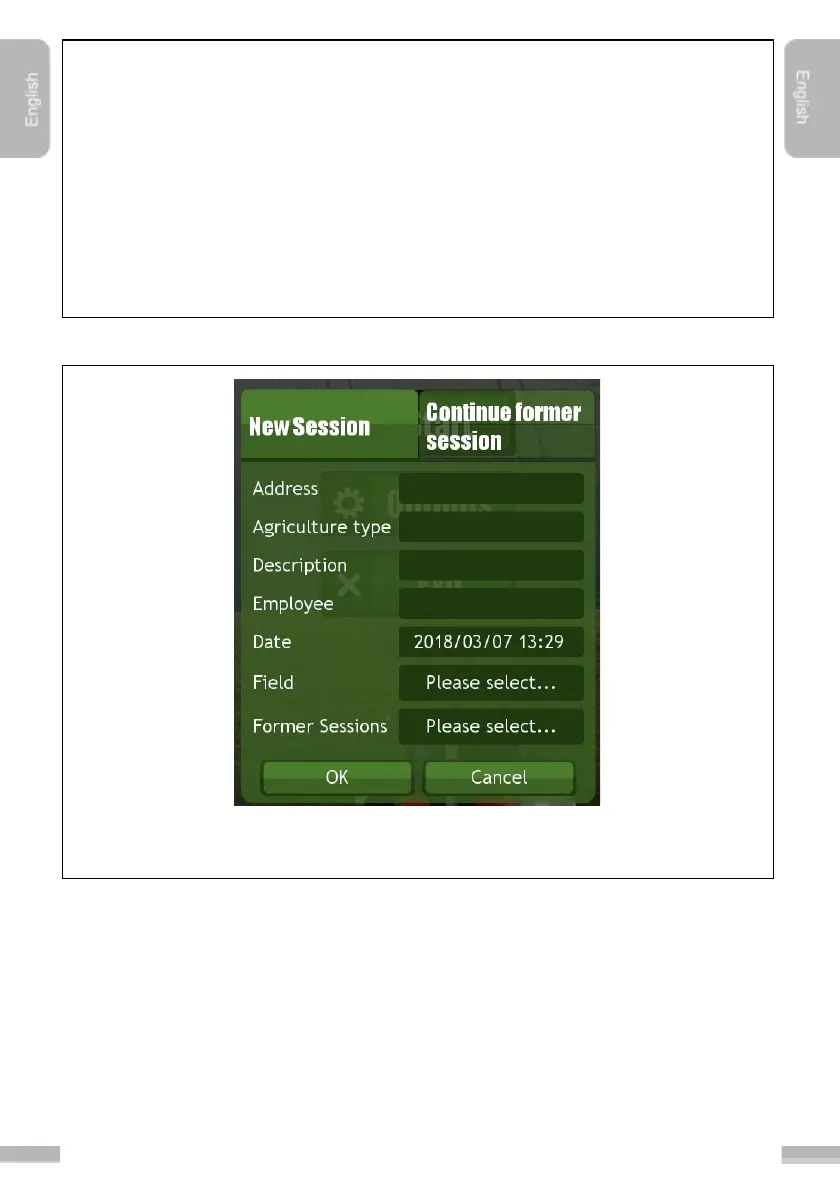
8. The following window appears after clicking “Ok
”:
Information about the new job session could be added here. It is not necessary to fill
any of the fields here, but it makes easier to find a session later.
9. A summary of the given data appears after clicking “Ok
”.
21