EasyManua.ls Logo

MacroAir Technologies AirVolution-D 370 - User Manual

MacroAir Technologies AirVolution-D 370
72 pages
Print Icon
To Next Page IconTo Next Page
Loading...
© 2018 MacroAir Technologies Toll Free: 866 668 3247 Fax: 909 890 2313 www.macroairfans.com i
Rev. Date 040218

Questions and Answers

MacroAir Technologies AirVolution-D 370 Specifications

General IconGeneral
MountingCeiling
Power1.5 HP
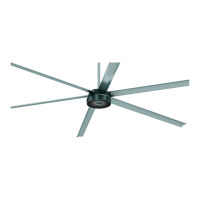
TypeHVLS Fan
Motor TypeDirect Drive Motor
ControlDigital touchscreen
Speed SettingsVariable
Power Consumption1, 100 W
MaterialAluminum

Summary

Caution & Safety

General Electrical & Installation Safety

Covers electrical risks, pre-installation checks, damaged equipment, and service guidelines.

Key Safety System Components

Explanation of features preventing fan detachment in case of failure.

Installation Considerations & Compliance

Includes floor marking, weight, torque, code compliance, and wind conditions.

Fusing Chart

Fan Placement & Clearance

Sprinkler System Placement

Ensuring fans do not interfere with sprinkler operation and meet code.

General Placement and Spacing Rules

Avoiding strobe effects, mezzanine clearance, and HVAC interaction.

Mounting Angle and Drop Lengths

Determining maximum mounting angles and recommended drop lengths.

Clearance for Obstructions

Table detailing required horizontal and vertical clearance from obstructions.

Fan Dimensions

Components (Rapid Mount Commercial)

Components (Fixed Angle Mount)

Fan Components and Tools

Mounts

Rapid Mount Commercial Overview

Introduction to the Rapid Mount Commercial installation.

Fixed Angle Mount Overview

Introduction to the Fixed Angle Mount installation.

Noise;Vibration Dampening Pad Usage

Instructions for installing the optional noise/vibration dampening pad.

1.1 Rapid Mount Commercial Motor & Extension Tube

1.2 Rapid Mount Commercial Bolt Kits

Bolt Kit Types and Specifications

Details for I-Beam, Glulam, and Mounting Plate bolt kits.

Mounting Method Installation References

Links to specific installation sections for Glulam, I-Beam, and Unistrut.

1.2.1 Rapid Mount Commercial Glulam (Direct Mounting)

1.2.2 Rapid Mount Commercial Glulam (with Glulam Brackets)

1.2.3 Rapid Mount Commercial I-Beam

1.2.4 Rapid Mount Commercial Unistrut

2.1 Fixed Angle Mount Motor & Extension Tube

2.2 Fixed Angle Mount Bolt Kits

Bolt Kit Types and Specifications

Details for I-Beam, Glulam, and Fixed Angle Mount bolt kits.

Mounting Method Installation References

Links to specific installation sections for Glulam, I-Beam, and Unistrut.

2.2.1 Fixed Angle Mount Glulam

2.2.2 Fixed Angle Mount I-Beam

2.2.3 Fixed Angle Mount Unistrut

2.3 Guy Wire Installation (Fixed Angle Mount Only)

3. Airfoil Installation

Power and Communication Cable Routing

Instructions for routing power and CAT5e cables to the mounting location.

Motor Unit Access and Electrical Safety

Accessing the motor unit and warnings about capacitor discharge.

Airfoil Attachment and Tightening

Procedure for attaching and tightening fan airfoils and retaining links.

4.1 Fuse Disconnect Switch Installation

Components of Fuse Disconnect System

Identification of fuse block, disconnect switch, and fuses.

Mounting and Wiring Instructions

Steps for mounting the switch and wiring the power cable.

4.2 Incoming Power Wiring

4.3 Emergency Disconnect Schematic

5.1 Touchpad Remote Mounting

Remote Mounting Procedures

Steps for mounting the touchpad remote to a wall or electrical box.

5.2 Touchpad Remote Navigation

Remote Control Buttons Overview

Explanation of the functions of each button on the touchpad remote.

Remote Screen Navigation and Operation

Instructions for navigating screens and operating the fan via the remote.

Maintenance Information

Guy Wire Inspection and Maintenance

Guidance on checking guy wire tension, condition, and attachment points.

Airfoil Cleaning Procedures

Recommendations for cleaning fan airfoils using safe cleaning agents.

Safety Cable Inspection and Importance

Ensuring the safety cable is intact and properly secured for system integrity.

Reverse Operation Considerations

Notes on changing fan direction and related checks.

Scheduled Maintenance Plan

Recommended inspection schedule for fan components and structure.

Mounting Plate Dimensions

Mounting Bracket Dimensions

I-Beam Bracket Dimensions

Detailed dimensions for the I-Beam mounting bracket.

Glulam Bracket Dimensions

Detailed dimensions for the Glulam mounting bracket.

Touchpad Remote Dimensions

Remote Enclosure Dimensions

Detailed dimensions for the touchpad remote enclosure.

Remote LCD Display Dimensions

Detailed dimensions for the touchpad remote LCD display.

Troubleshooting

Fault Code Causes and Solutions

Table listing fault codes, descriptions, symptoms, and troubleshooting tips.

Warranty and Technical Support

50,000 Hour Warranty Coverage

Information on what the 50,000-hour warranty covers and its duration.

Warranty Exclusions and Limitations

Details on what is not covered by the manufacturer's warranty.

Technical Support Contact Information

Contact details for installation assistance, application questions, and sales support.

Related product manuals