Chapter 268
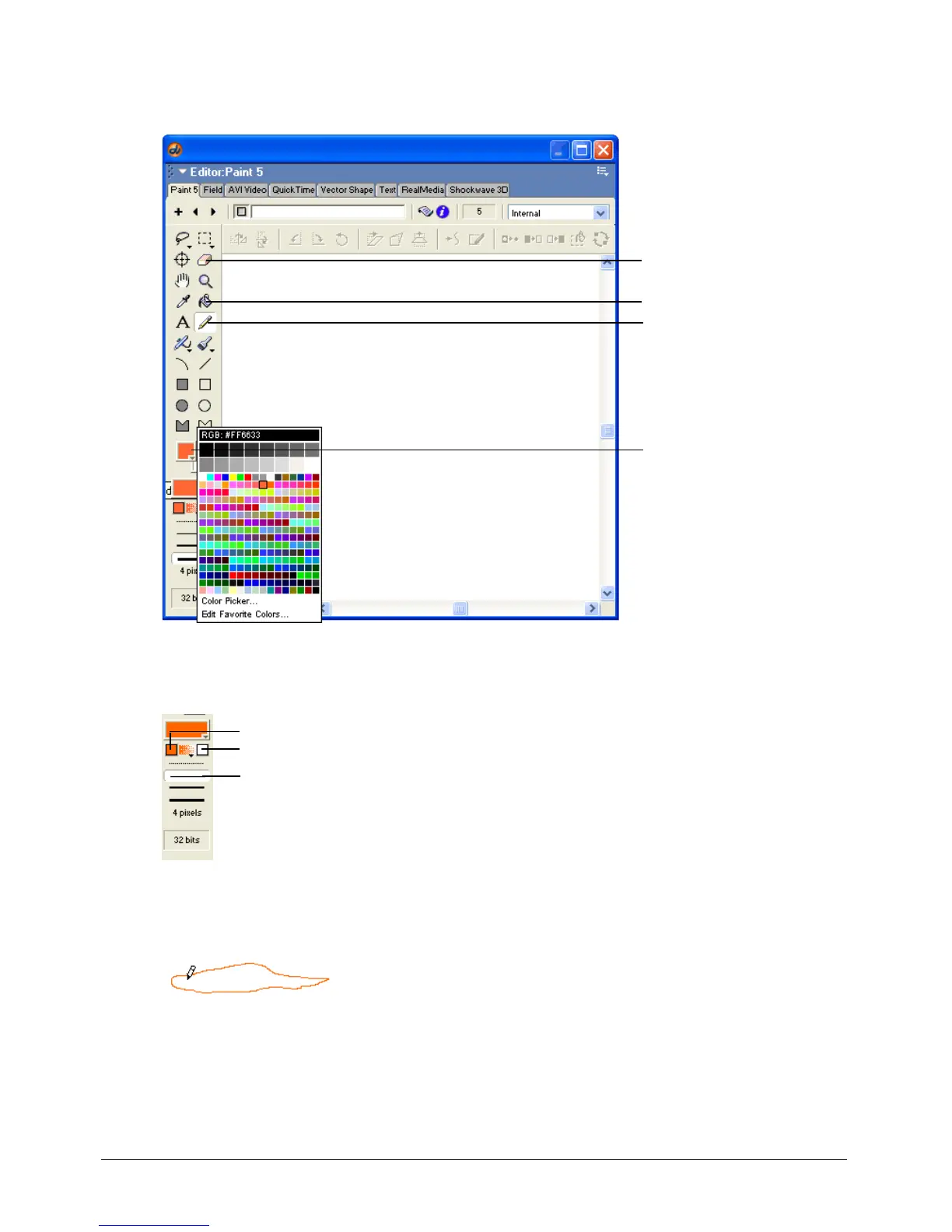
3 In the Paint window toolbar, select the Pencil tool. Select an orange color from the Foreground
Color pop-up menu.
4 Select the one-pixel line width from the list of line widths at the bottom of the left-side Paint
window toolbar.
5 In the Paint window, draw a small, flat cloud with the pencil tool. Be sure that the cloud has no
gaps in the outline. Use the Eraser tool, if necessary, to erase lines drawn in error.
Eraser tool
Paint Bucket tool
Pencil tool
Foreground Color
pop-up menu
Gradient start color
Gradient end color
One-pixel line



 To Next Page