Use the following procedure to check the zero
setting of the drilling depth:
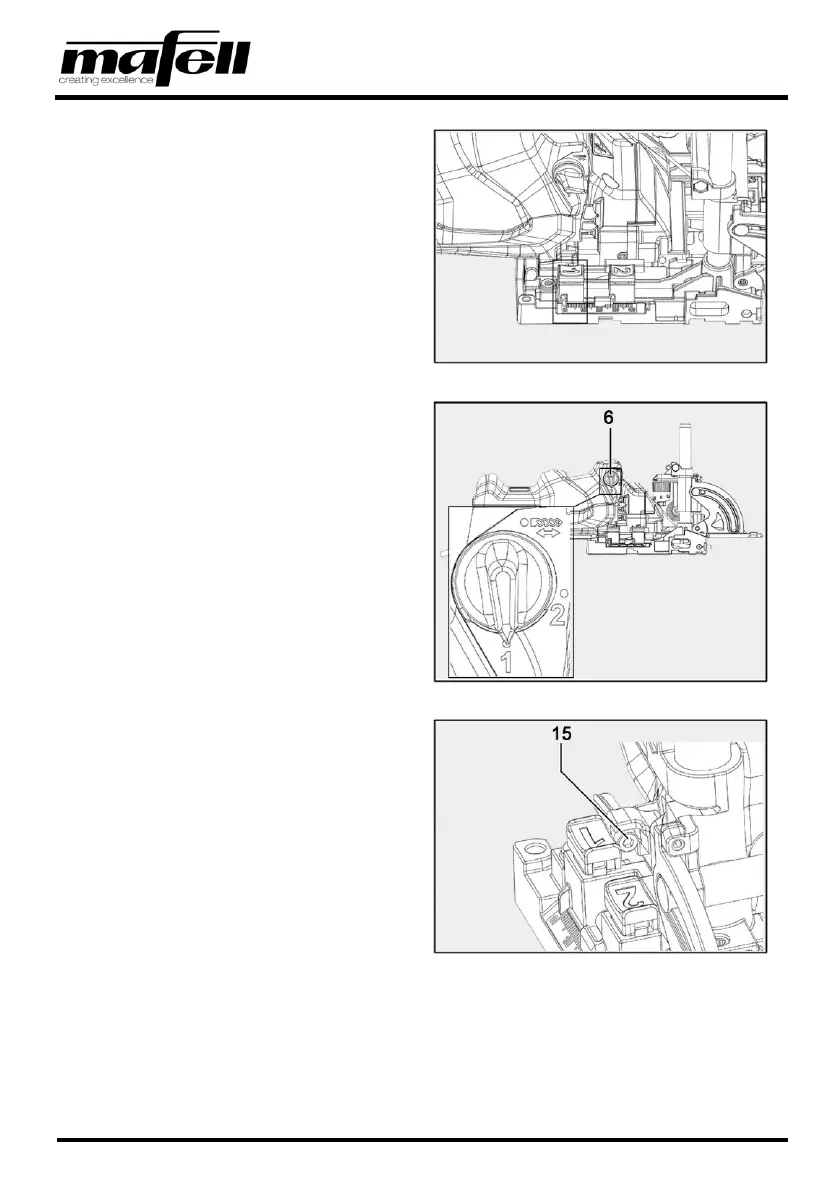
1. Set depth stop "1" to scale depth 0 mm.
Fig. 7: Setting depth stop "1" to scale depth 0
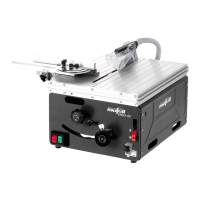
2. Set the rotary button to drilling depth "1".
3. Push the motor unit forward.
4. Check whether drill tip or cutting edge (as
desired!) is level with the contact surface.
Fig. 8: Setting the rotary button to drilling depth "1"
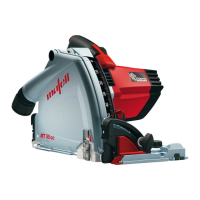
5. If necessary, rotate the screw (15) at the stop
with the Allen key until the zero position is
correct.
➢ Upon delivery, this is set to the drill cutting
edge!
✓ Zero setting of the drilling depth checked.
Fig. 9: Adjusting the zero setting
4.5 Swivel setting
The swiveling guide fence can continuously be adjusted in the range from 0° through 90°. Three detent
positions allow quick adjustment of the angles 22.5° / 45° / 67.5°.


 To Next Page