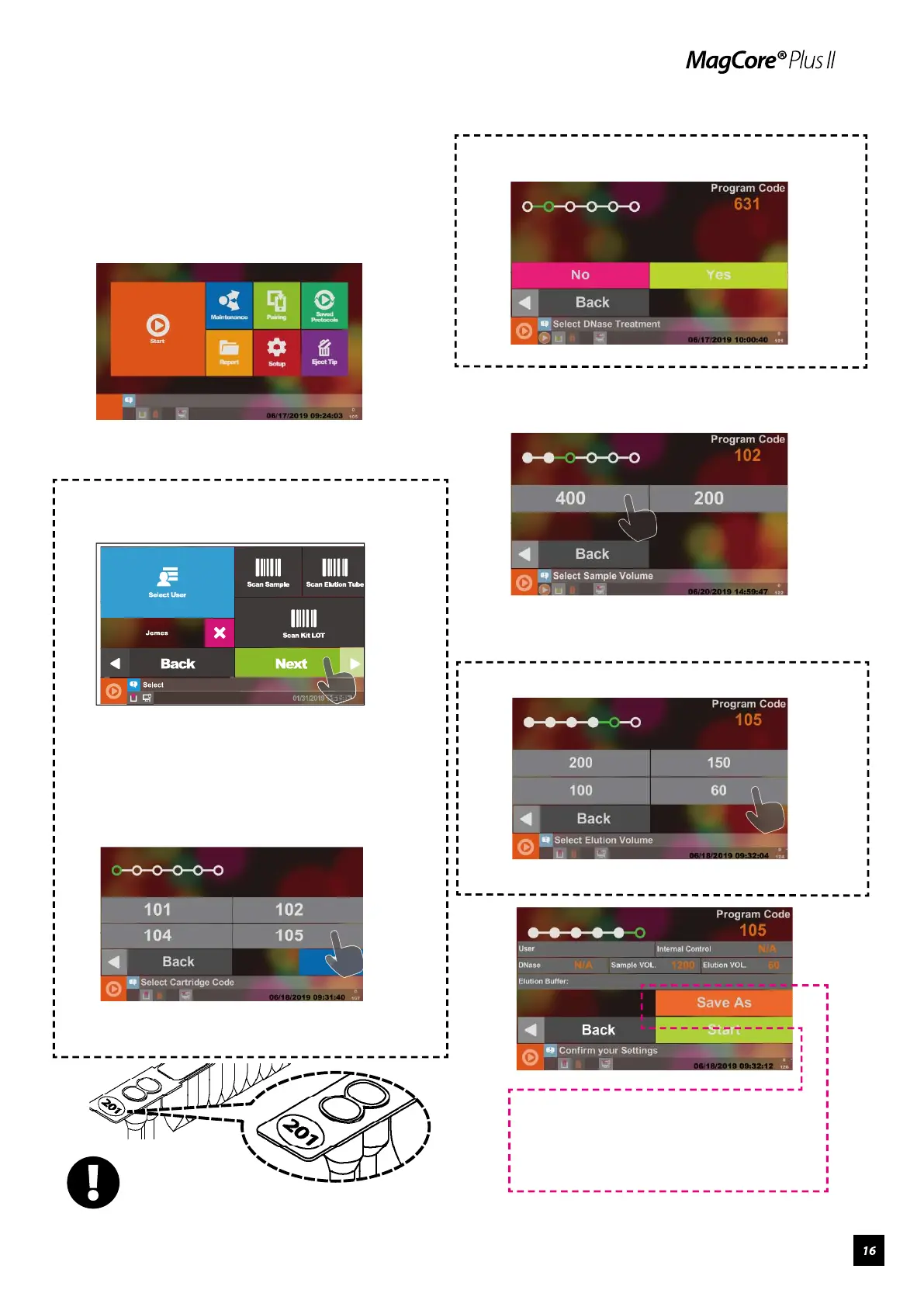
Select DNase Treatment. (Only for RNA kit.)
Select Sample Volume.
Select Elution Buffer. (Only for tissue kit.)
Close the door and press Start.
Please pretreat the sample according to the
instructions of the user manual of the MagCore®
Kit and put consumables into the machine.
Press Start to go to the next step.
To Select User and Scan Barcodes: See Page 12
Press Next to choose the code number.
Please confirm the reagent set code number to be
used in the extraction.
Select the number of the cartridge.
━ Start Programs
The number
can be found in the
sticker on the cartridge.
If you need to save this setting, please
refer to page 11 to know how to save
customized settings.


 To Next Page