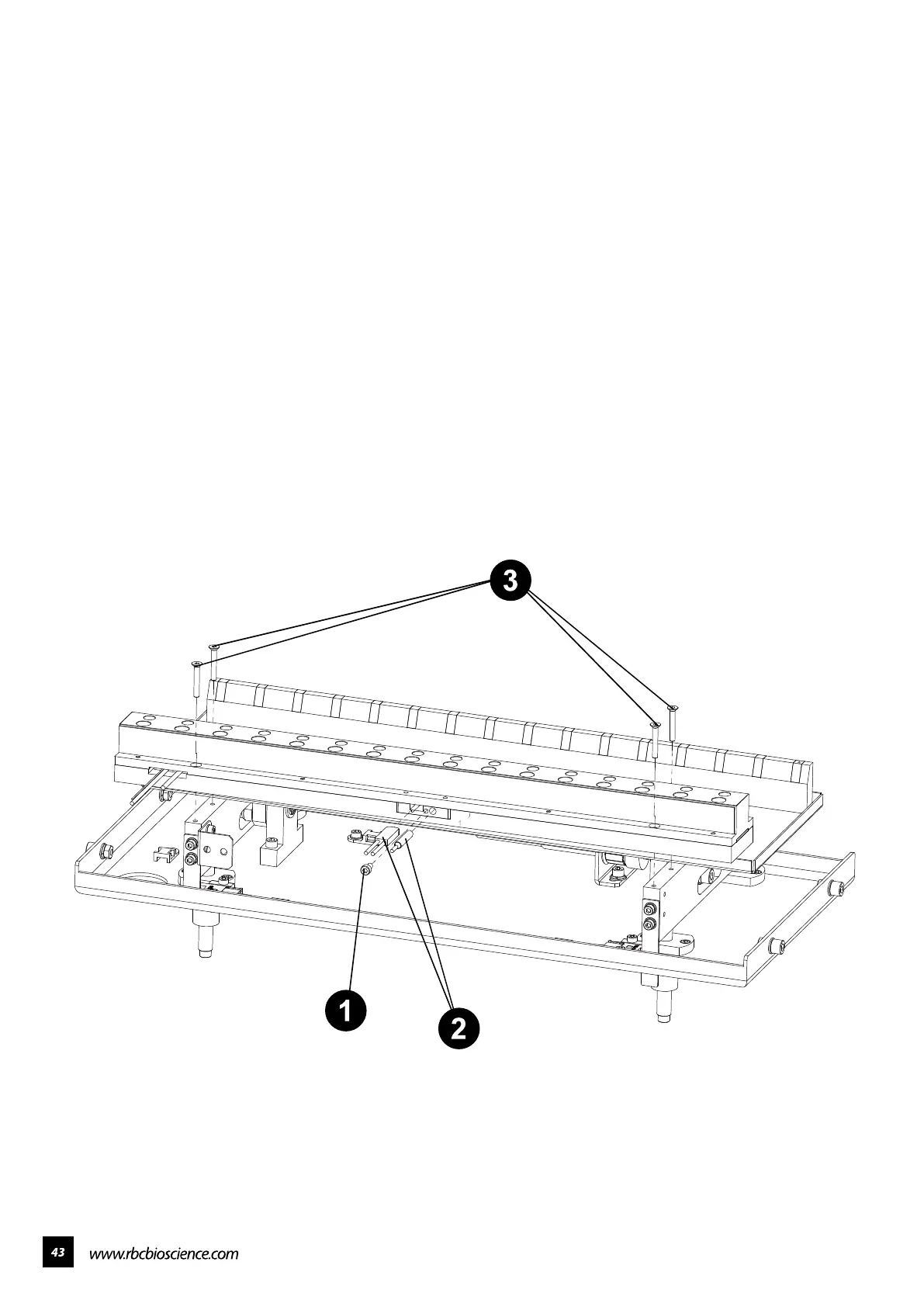
━ Replace the heater module
Open the front door and take out the waste box, cartridge rack and T-rack.
1. Remove the middle screw.
2. Remove the temperature probe.
3. Remove the four screws on heater module. Install a new heater module
and lock back all the parts.



 To Next Page